Planning for the life ahead.
Malaa helps people connect their finances today with the life they want to build through wealth management, investing, and lending.
Explore the case study ↓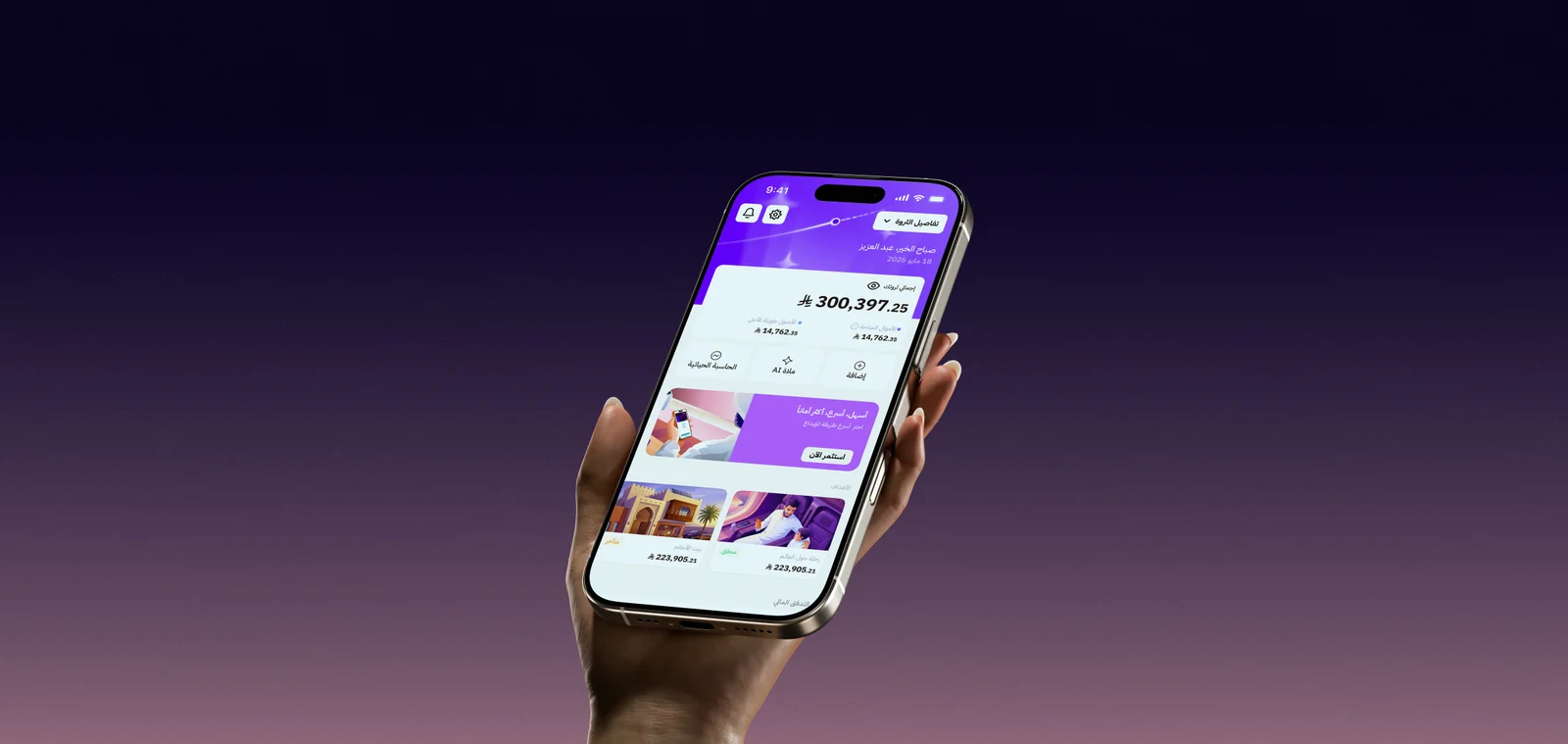
About Malaa
Malaa helps people connect their finances today with the life they want to build. It combines a clear view of assets, liabilities, income, and expenses with investment and lending services, helping people build a plan that evolves with their decisions and goals.
Retirement planning turns future ambitions into practical questions: What lifestyle do I want? How much will I need? How could changing one goal affect the rest of my plan?
My contribution
I designed the planning flows and UI, connecting financial setup to decisions about retirement and competing goals.
Key decisions
The challenge
People want to pursue their goals today and maintain their lifestyle after retirement. But every goal draws on the same financial resources. Its cost and timing can affect when someone is ready to retire and the lifestyle they can afford.
How can we make these tradeoffs visible and measurable today?
Help people understand each goal’s projected impact, set priorities, and see what might need to change, whether that means adjusting a goal, investing more, or reconsidering borrowing.
Turning financial rules into product decisions.
I joined while the feature was taking shape. Malaa already combined personal finance with automated investing. Requests to connect budgets and savings to goals helped define the planning scope.
With our Head of Product
I translated recurring feedback about savings and goals into user stories for the feature brief.
With a financial specialist and a data scientist
I worked on how assets, liabilities, inflation, and potential investment returns would feed into the plan and its allocation of wealth.
From the earlier flows to the new Home.
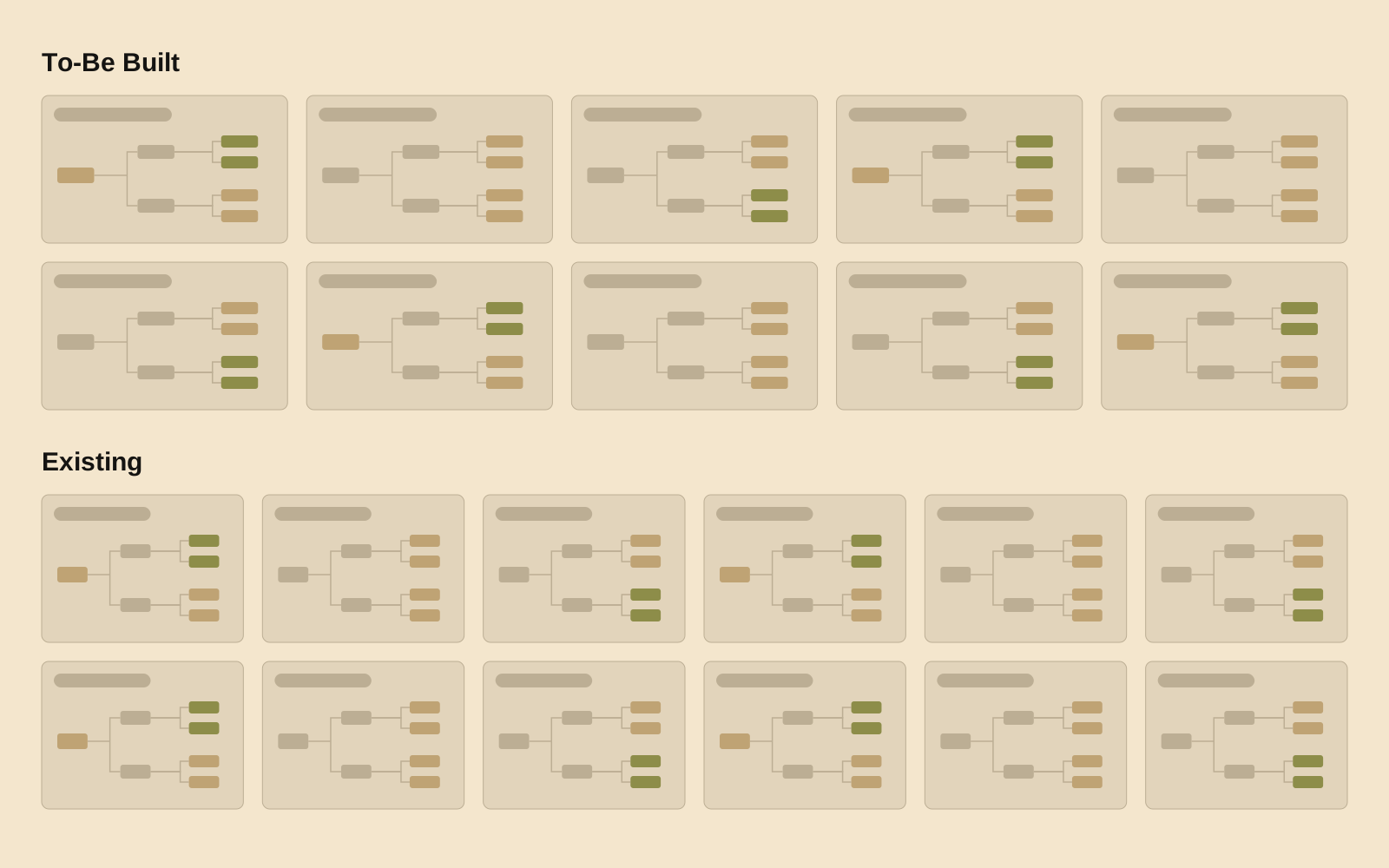
The upper board shows the earlier designs for wealth, planning, and the connected investment and lending journeys. The lower board shows the newer designs after we brought these capabilities into a shared Home screen.
Earlier designs
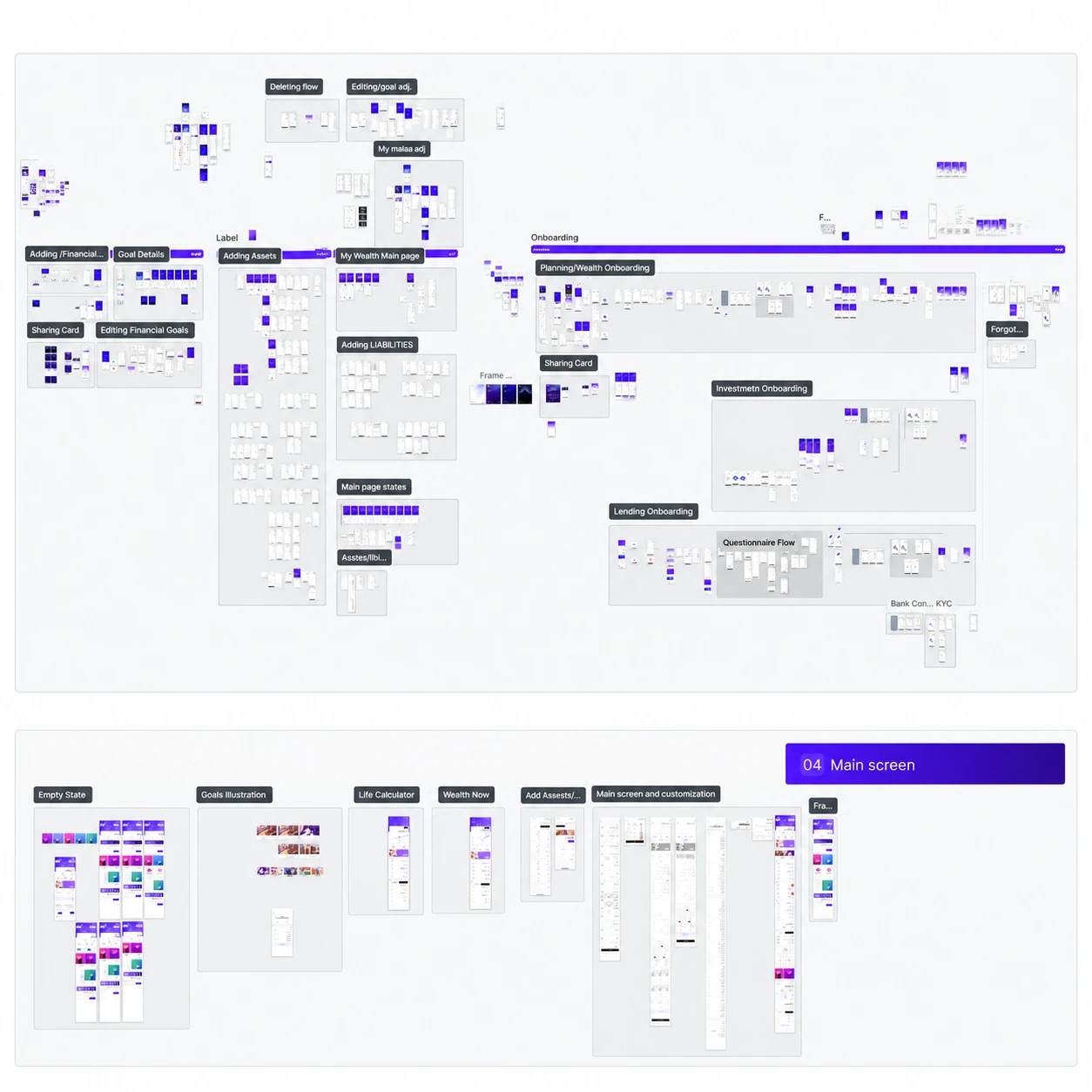
New designs
Light reconstructions of the shared team boards. The sections below focus on my contribution to planning.
Turn feedback into
a clear feature brief.
Working with our Head of Product, I helped translate recurring requests about saving and connecting budgets to goals into user stories for the feature brief.
- User feedback
- User stories & brief
- Feature architecture
- Smaller feature scopes
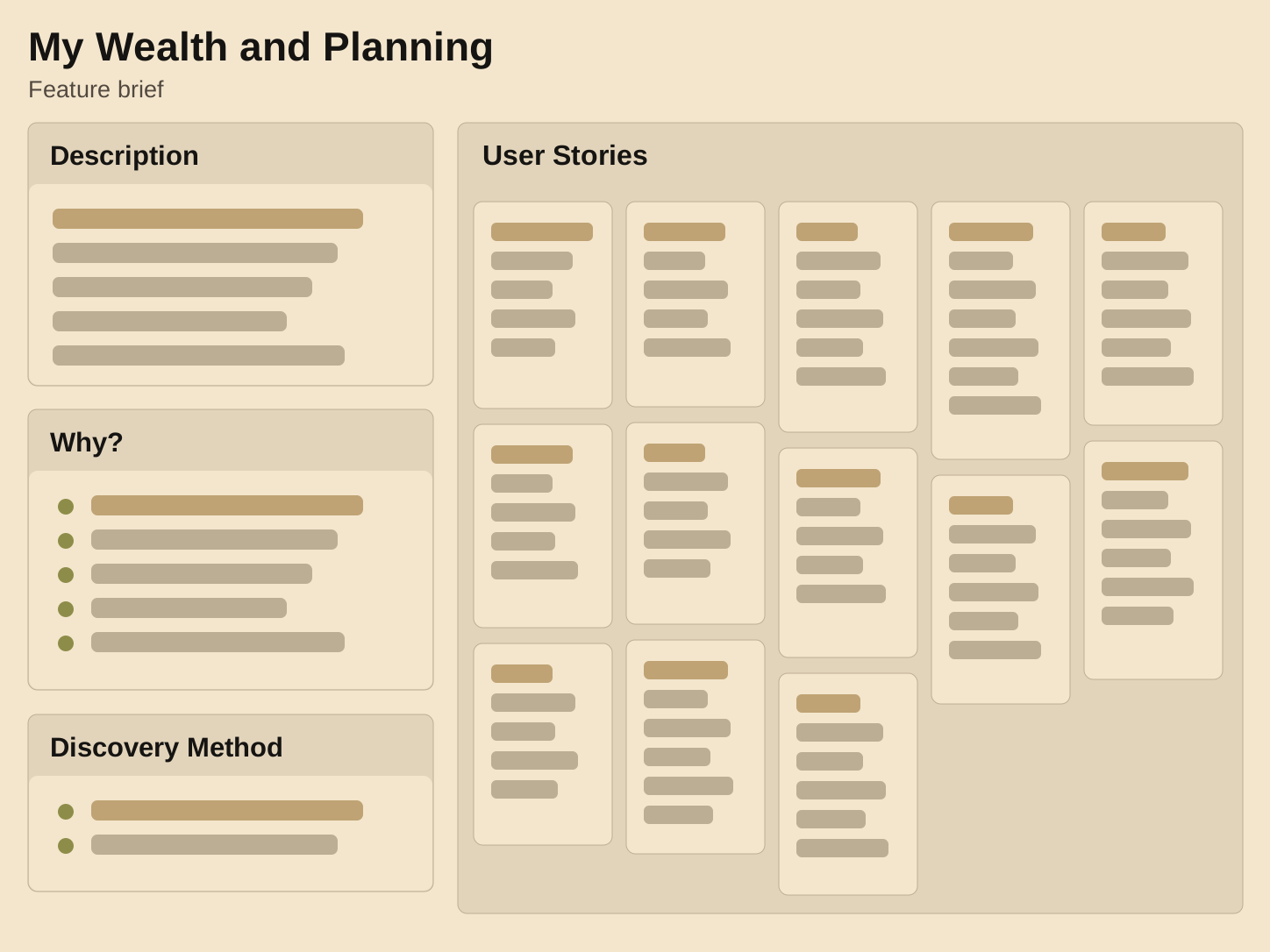
For My Wealth and Planning, the scope connected assets and liabilities, personal goals, and the effect of financial behavior. The three story themes below show how those needs relate to the designs.
Three themes in the user stories
See my wealth
in one place
I want to see my assets, liabilities, and net worth together, with changes reflected in the total.
Net Worth branch
Wealth overview
Plan around
my goals
I want to customize my goals, see them on a timeline, and understand when I may achieve them.
Projection · Variable editing
Goals list · Goal details
Understand what
supports progress
I want to connect goals to funding and understand my progress through useful insights.
Investment inclusion
Goal history · Impact review
The themes above summarize the brief’s user stories; they are not verbatim customer quotations. The mapping to the supplied designs is a case-study synthesis.
Structuring wealth and planning.
We added wealth and planning to Malaa’s existing information architecture, defining the hierarchy and scope of the new product area. Net worth and Planning sit at the same level, with Planning organized into two branches: the projection chart and goal management.
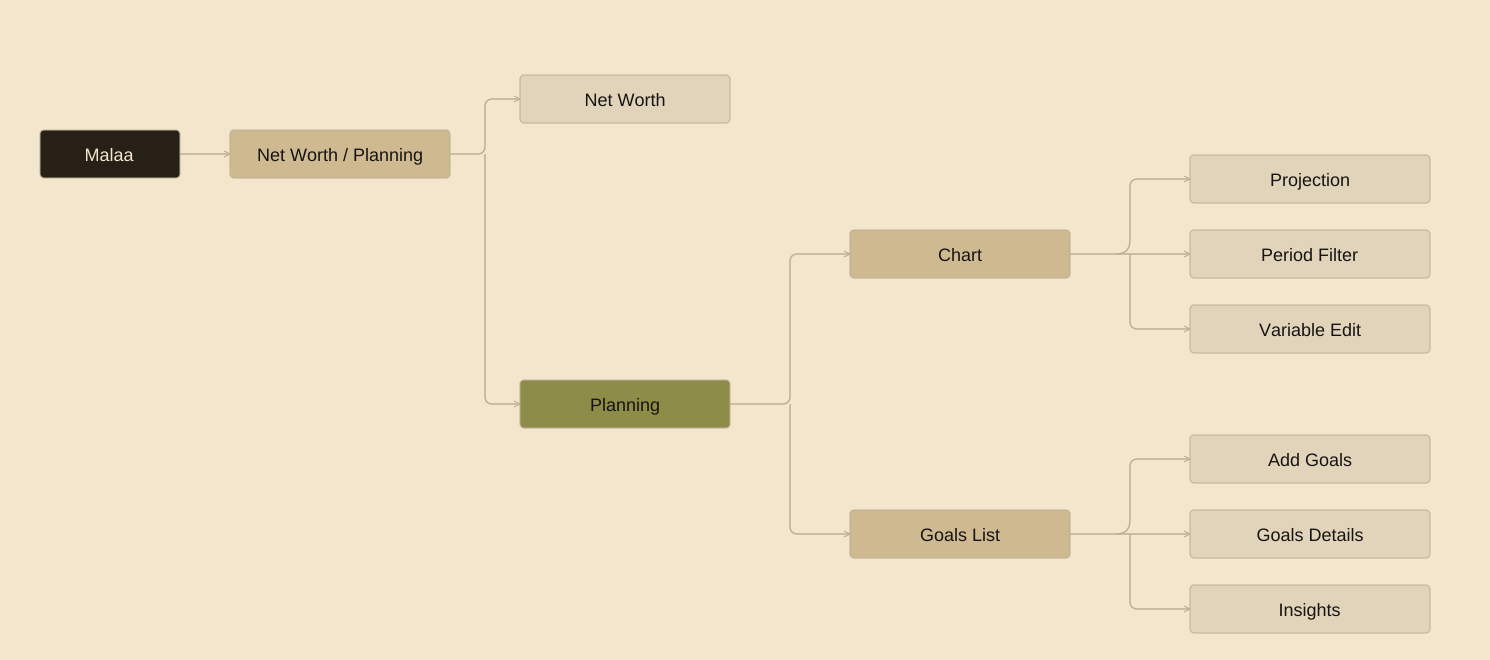
Break each feature into smaller parts.
We mapped the information architecture of each feature, then separated it into smaller, focused parts. Wealth was added to the same information architecture used for the rest of Malaa.
- 01
Map the feature
Identify its structure and how its parts relate. For Planning, the chart and goals list form the main branches.
- 02
Break down the scope
Separate those branches into focused parts, such as projection, period filtering, variable editing, and goal details.
From wealth and planning to a shared Home.
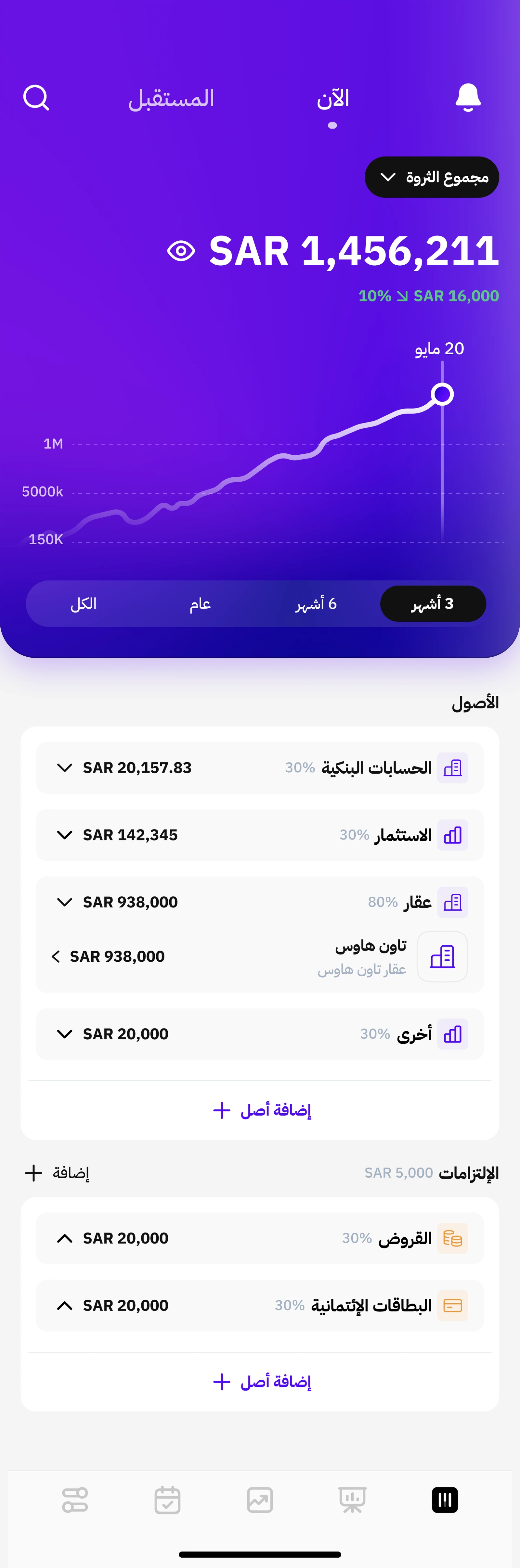
The earlier designs centered on wealth and planning. We later shifted the app’s architecture to a broader Home screen, bringing the financial overview, expenses, transactions, and monthly recap into one place.
Earlier wealth and planning
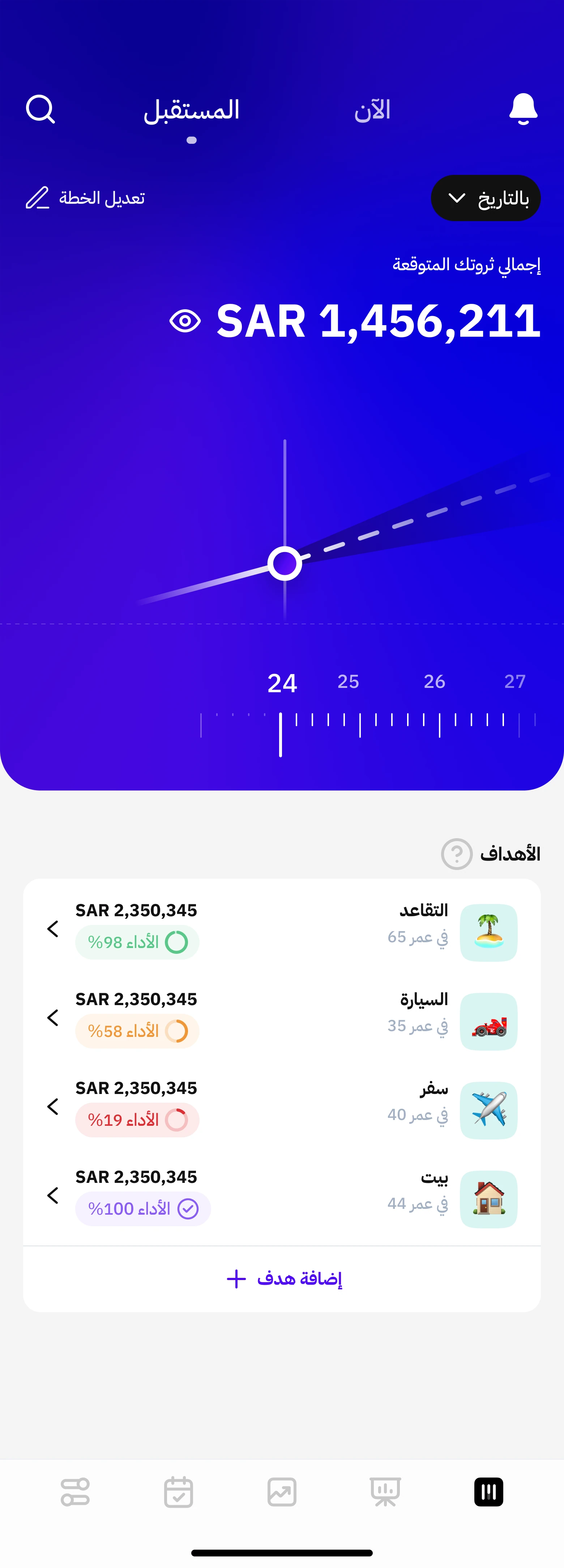
Home with financial activity


Scroll inside each screen to compare the content. The final Home’s bottom navigation stays in place as its content moves.
Keep setup focused and the plan reviewable.
The tradeoff was between asking people for every planning input and getting them to a plan they could review. We focused the manual planning questions on current salary and desired retirement income, while using connected-account data and handling inflation in the background.
I worked on the flows and UI with our Head of Product, a financial specialist, and a data scientist to connect those inputs to the planning experience. The aim was to keep setup focused while giving people a plan they could review and revisit.
Reuse what existing users already have.
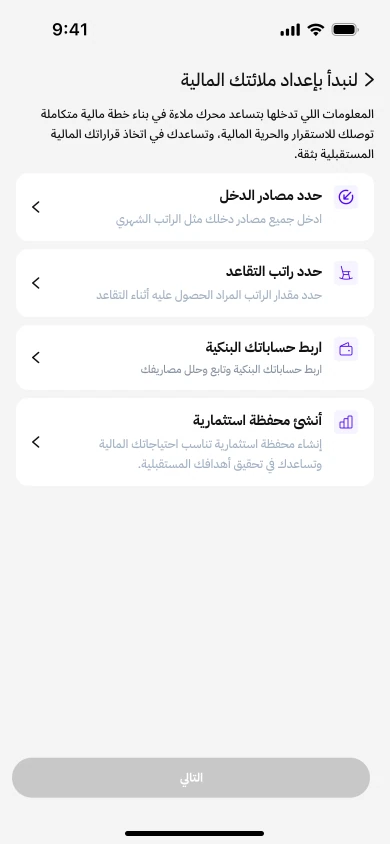
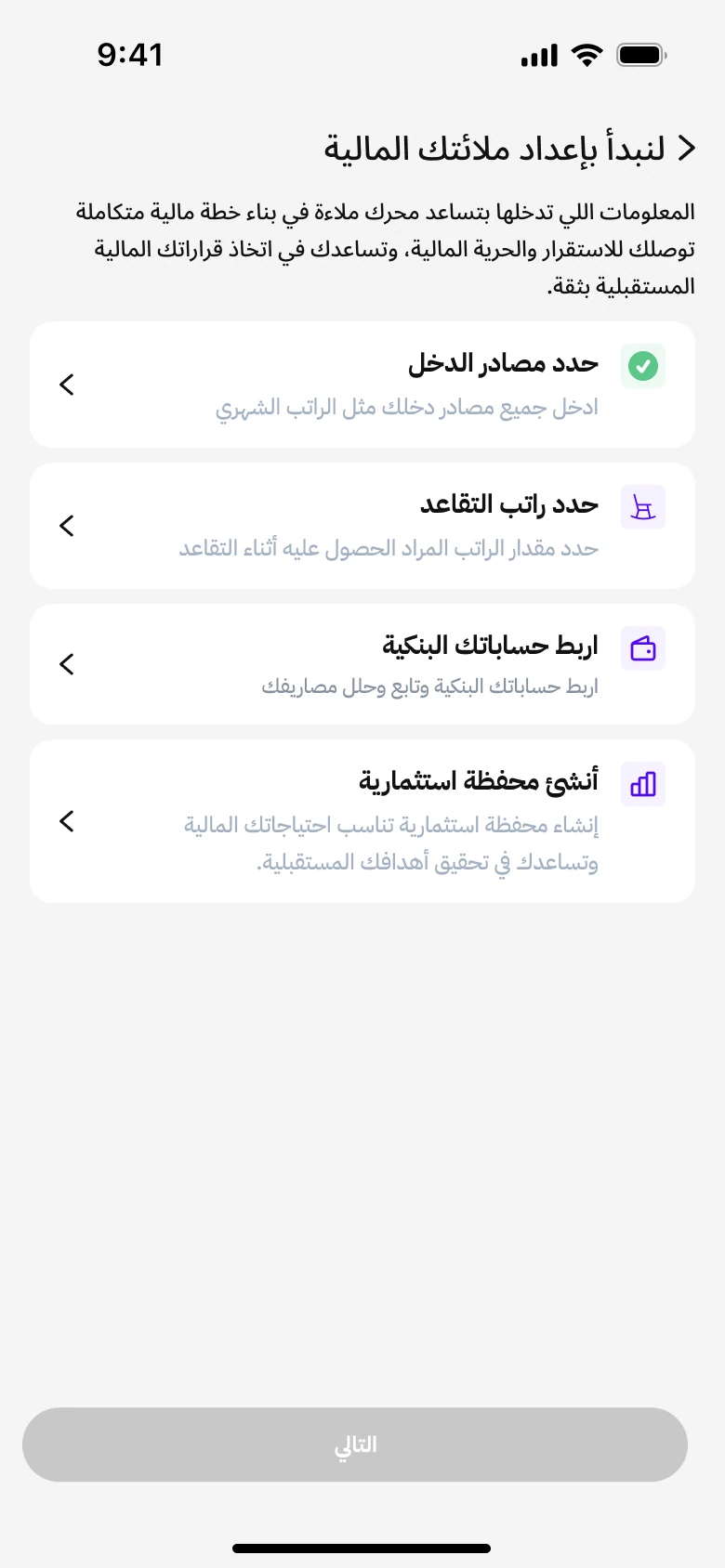
I kept setup focused on missing inputs. Existing users can reuse connected bank accounts and investment portfolios, while new users complete all four tasks needed to build their plan.
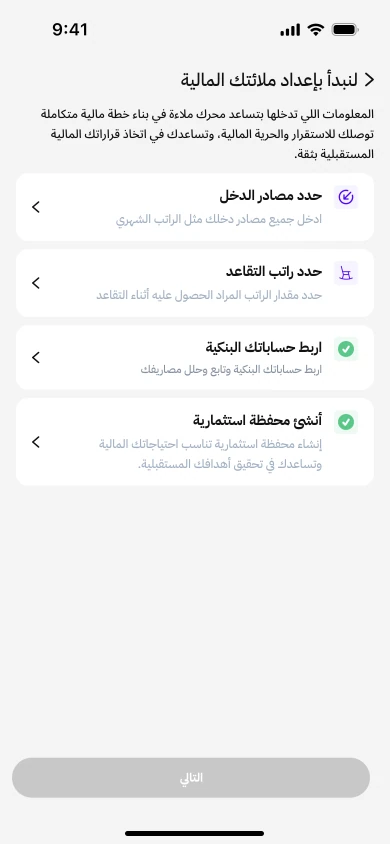
Add income without leaving the setup.
I kept salary entry inside the setup flow so people could add and review income without losing their place in the checklist.
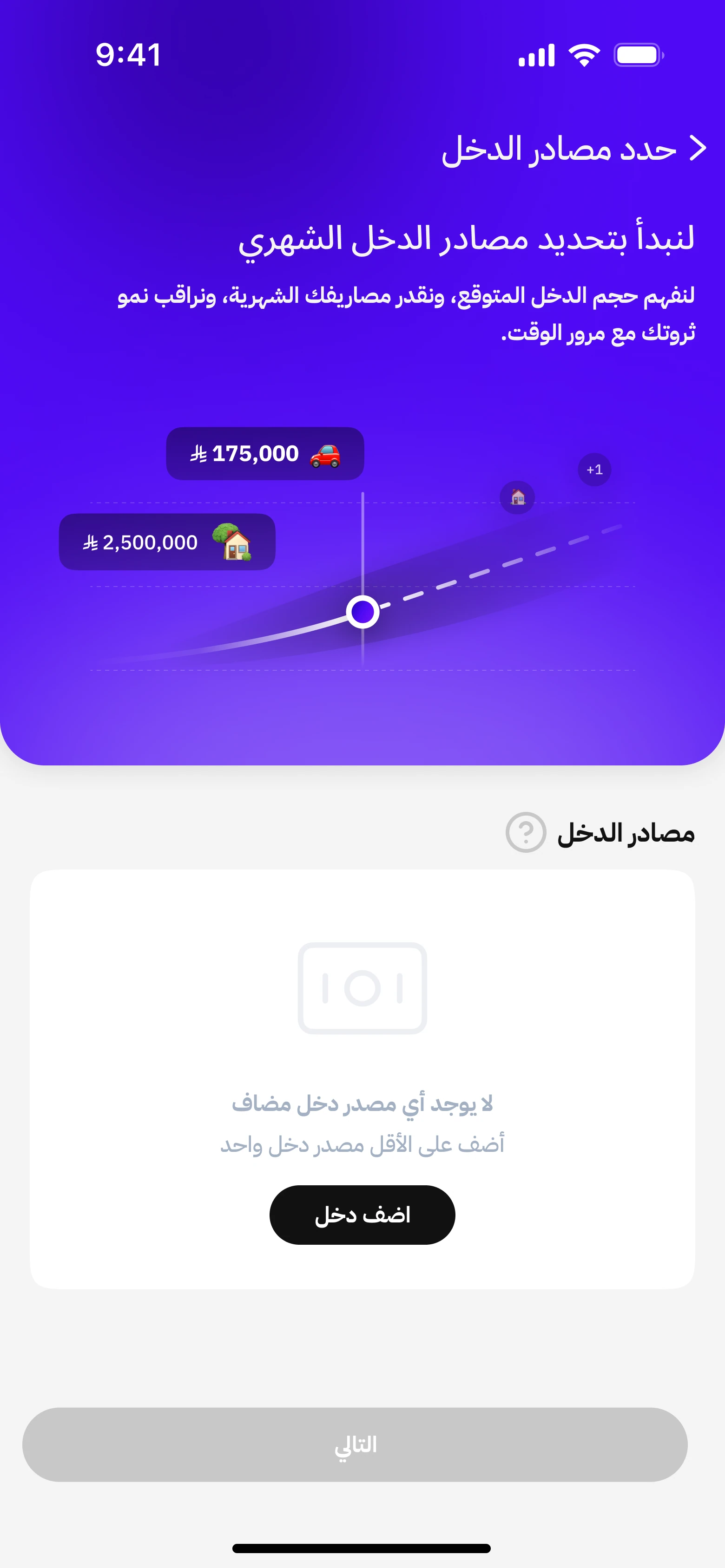
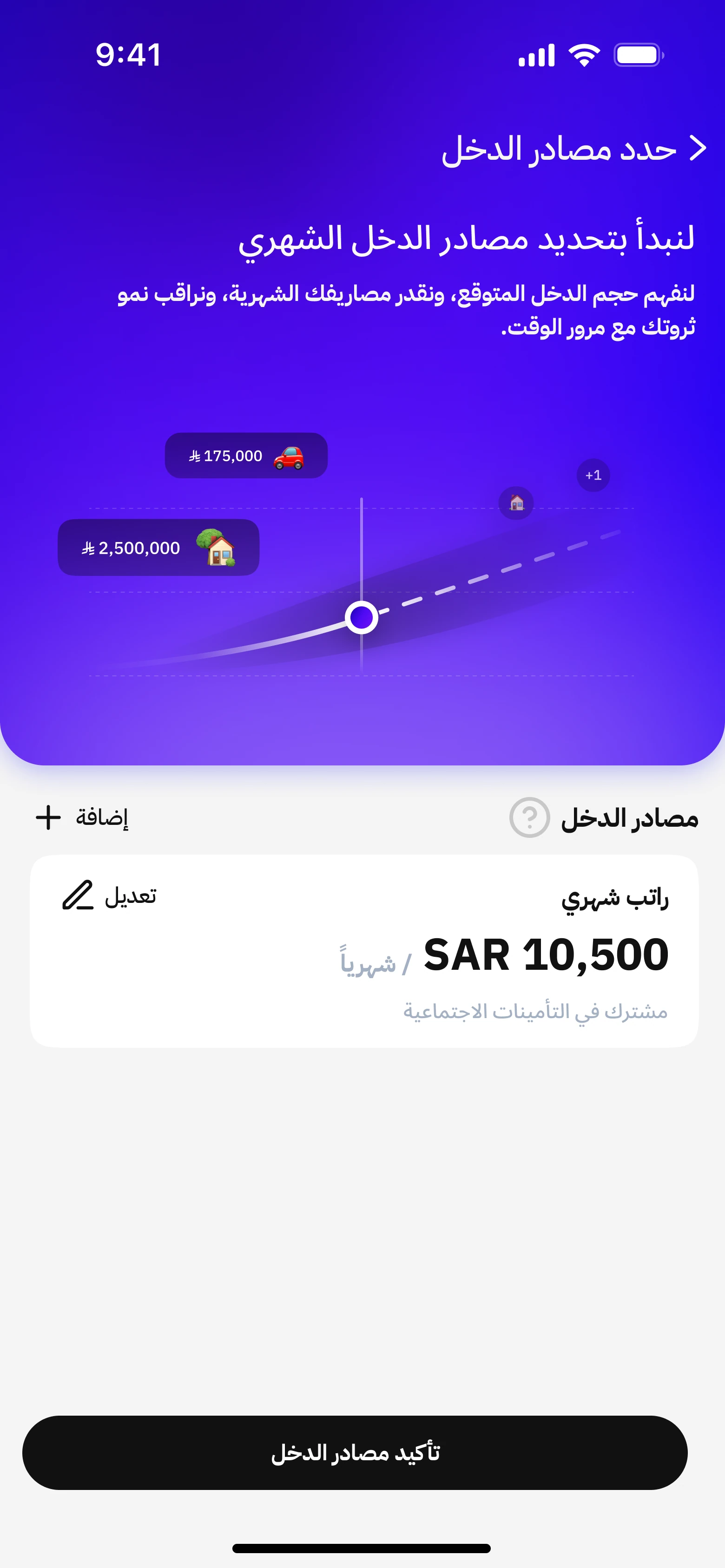
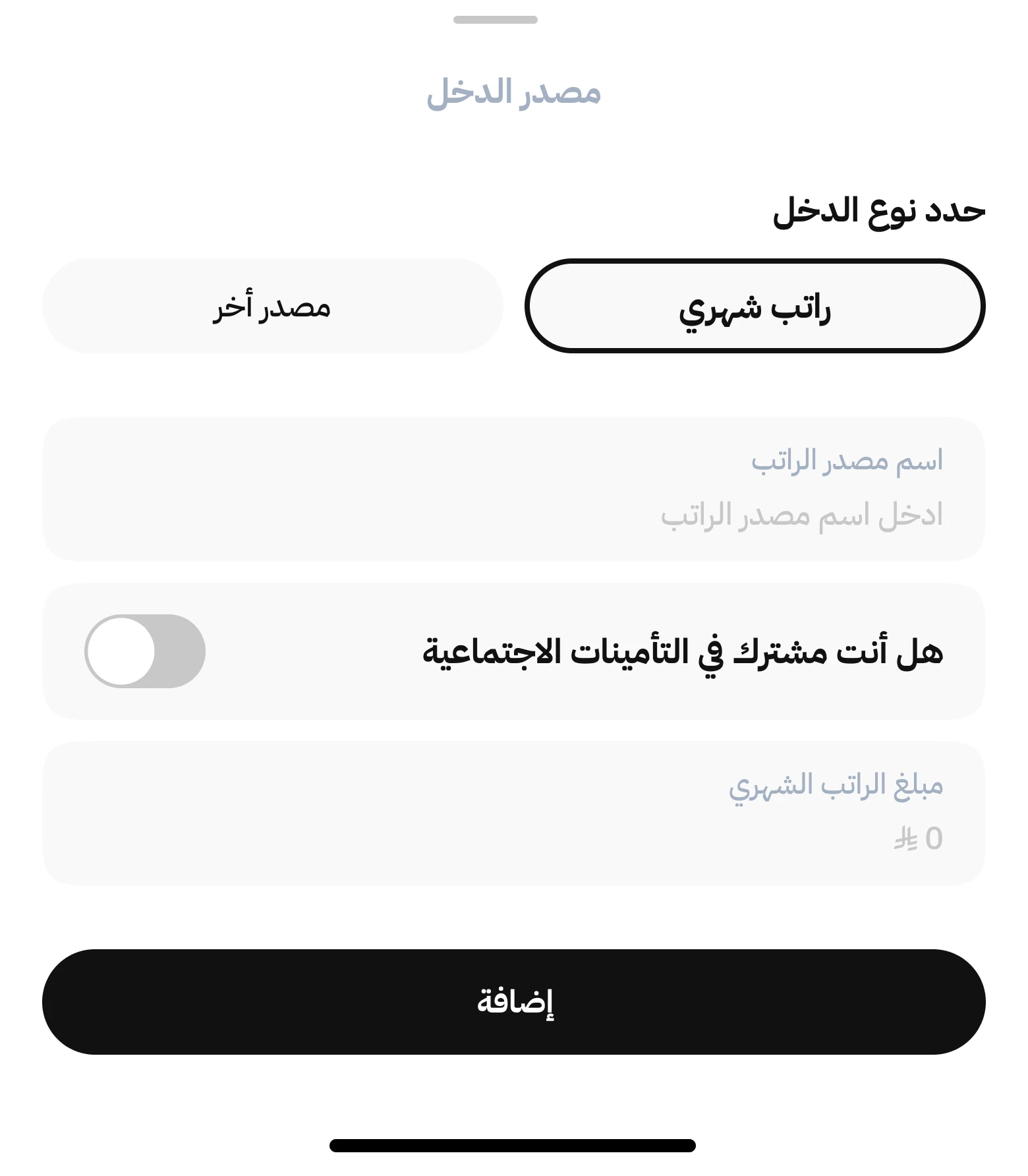
1 of 4 · Select Income sources on the checklist.
Try the highlighted controls. This walkthrough uses a sample salary of SAR 10,500 per month.
Connect a retirement lifestyle to the plan.
I used lifestyle options to make retirement income a concrete choice. Showing the projection alongside each option lets people compare expectations before confirming a target.
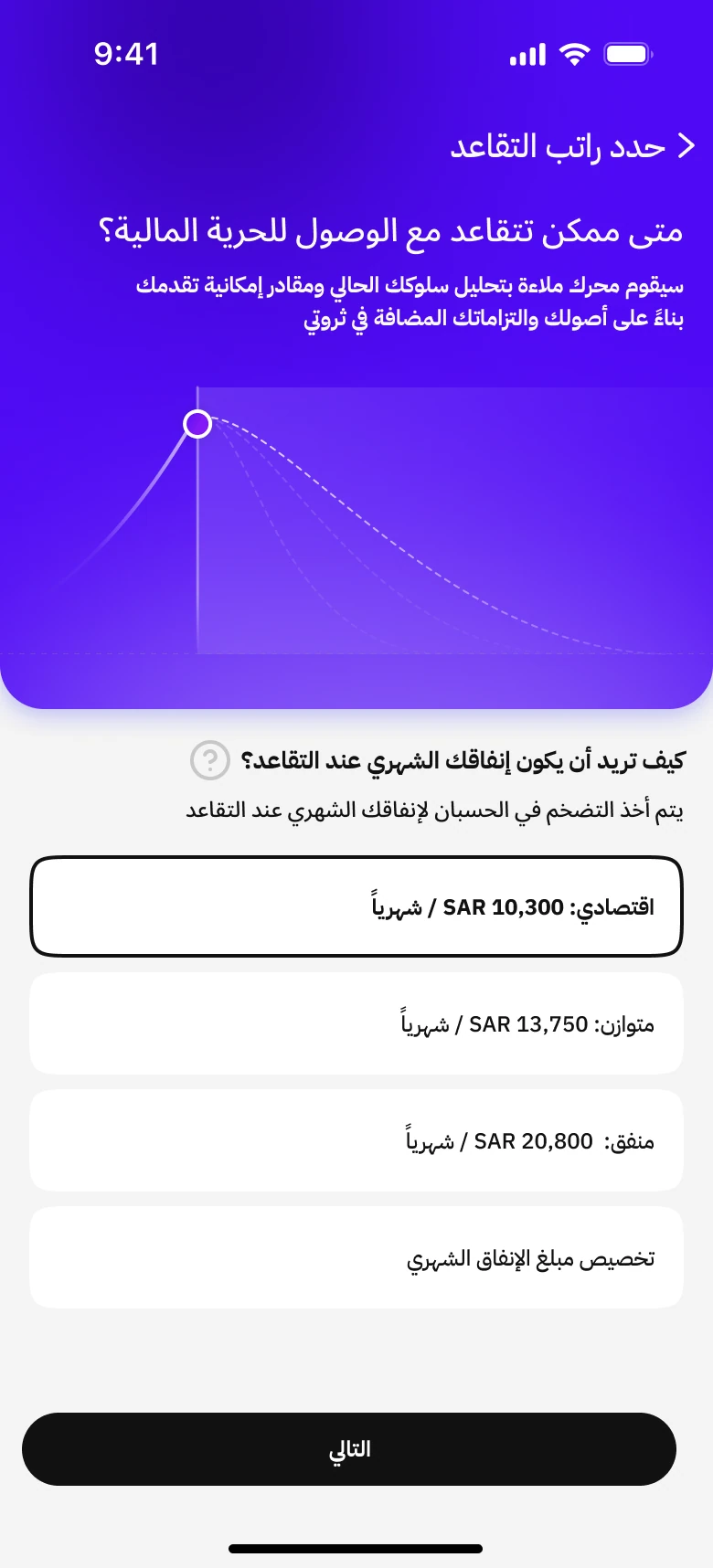
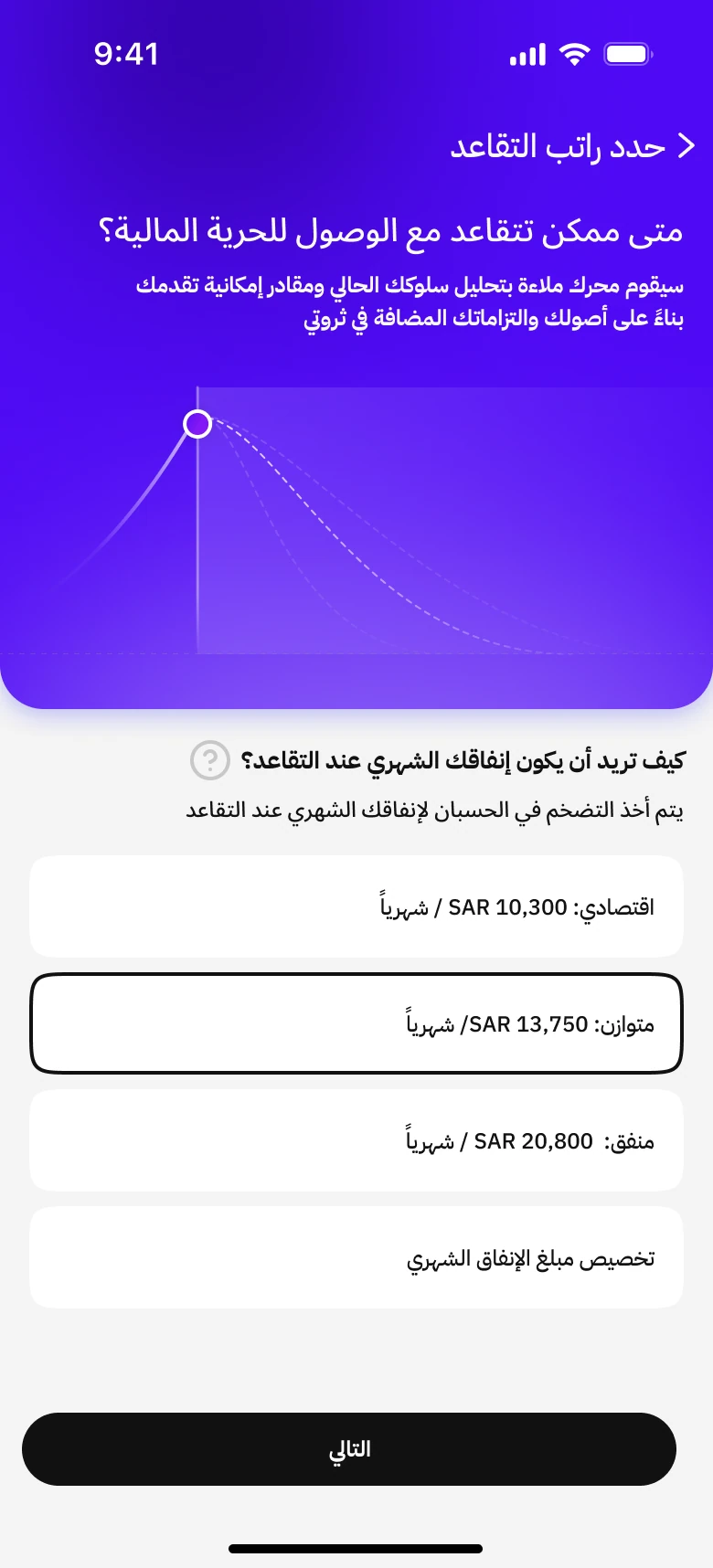
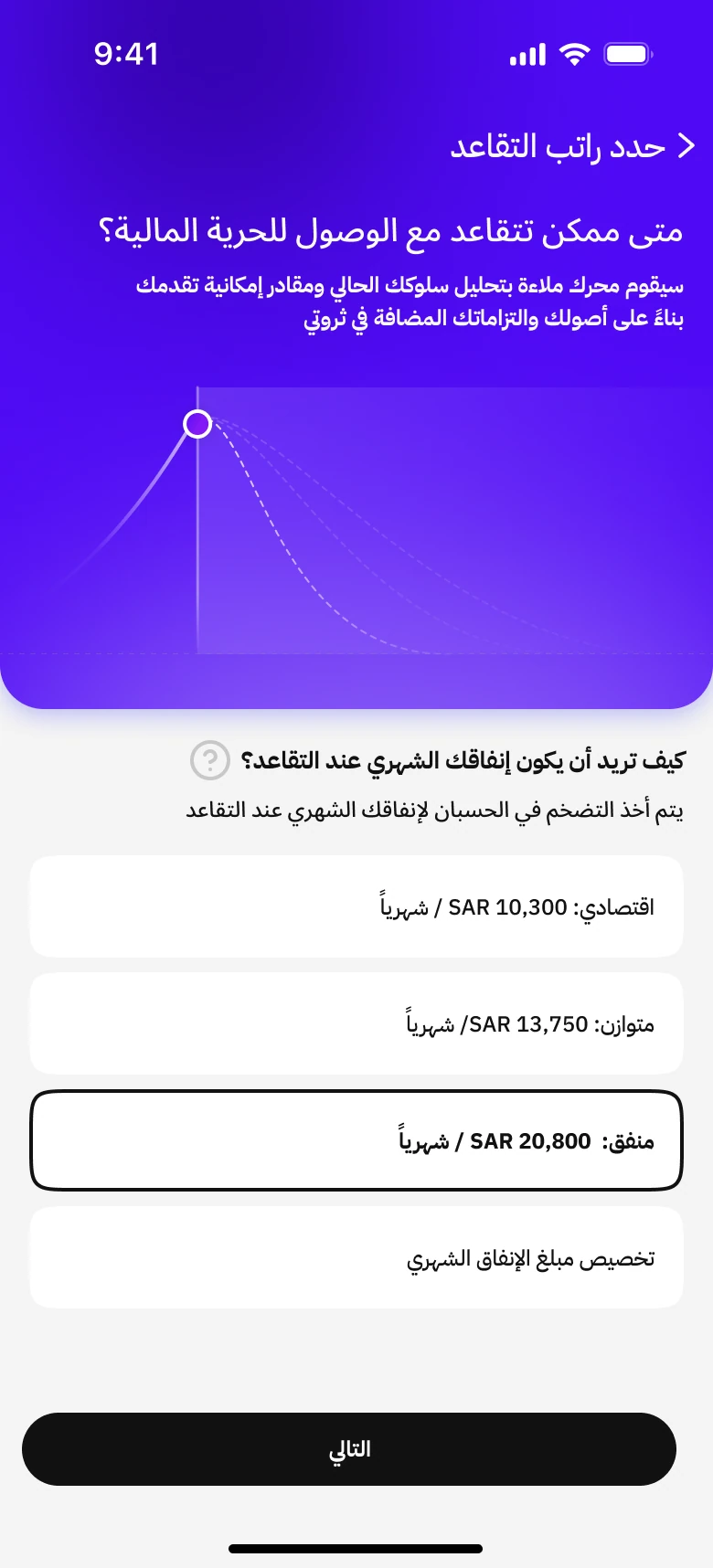
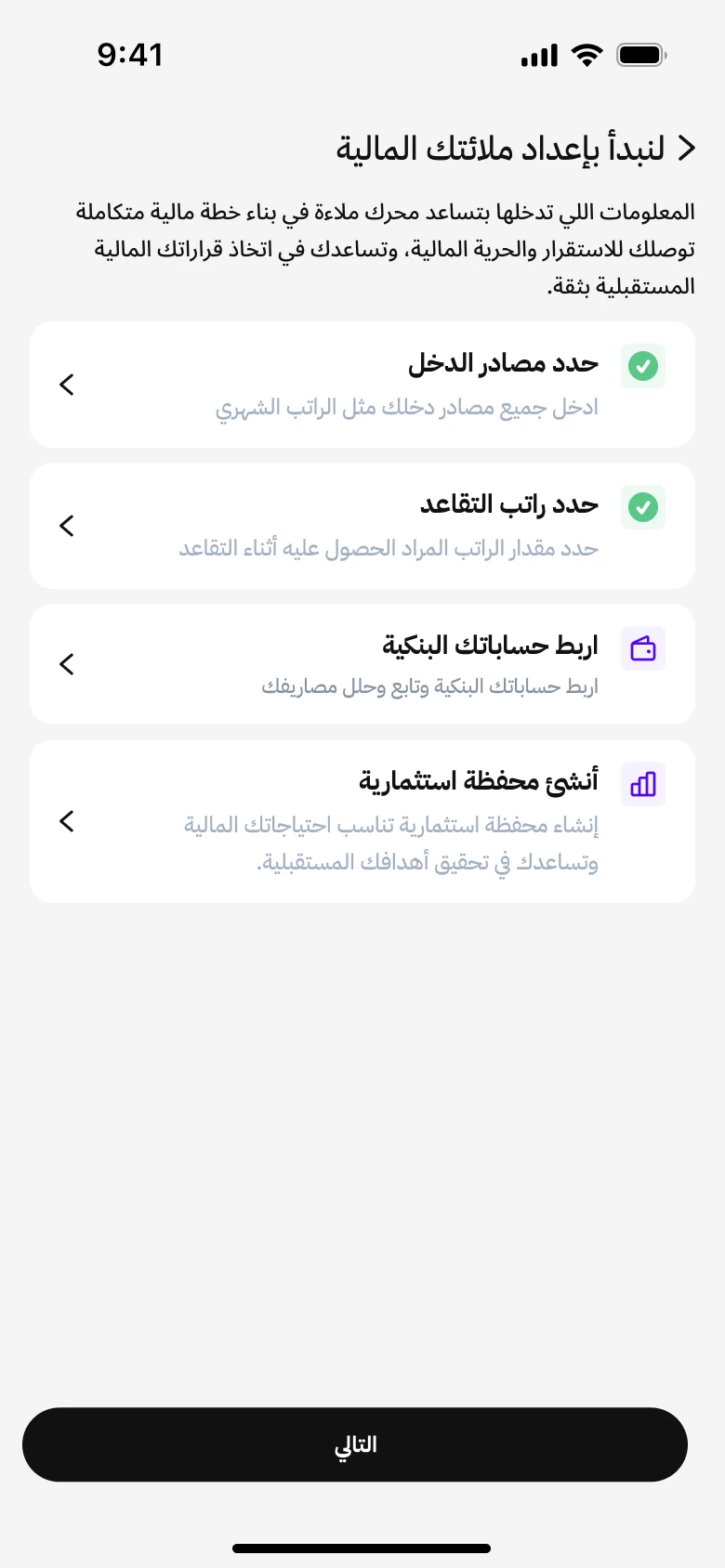
1 of 3 · Select Retirement income on the checklist.
Try the three preset lifestyles, then select Next to complete the task. Amounts are sample values from the designs.
Connect everyday spending to the plan.
I used connected account data for average monthly expenses so the plan could reflect everyday spending. Reviewing permissions before the bank handoff makes the requested data access explicit.
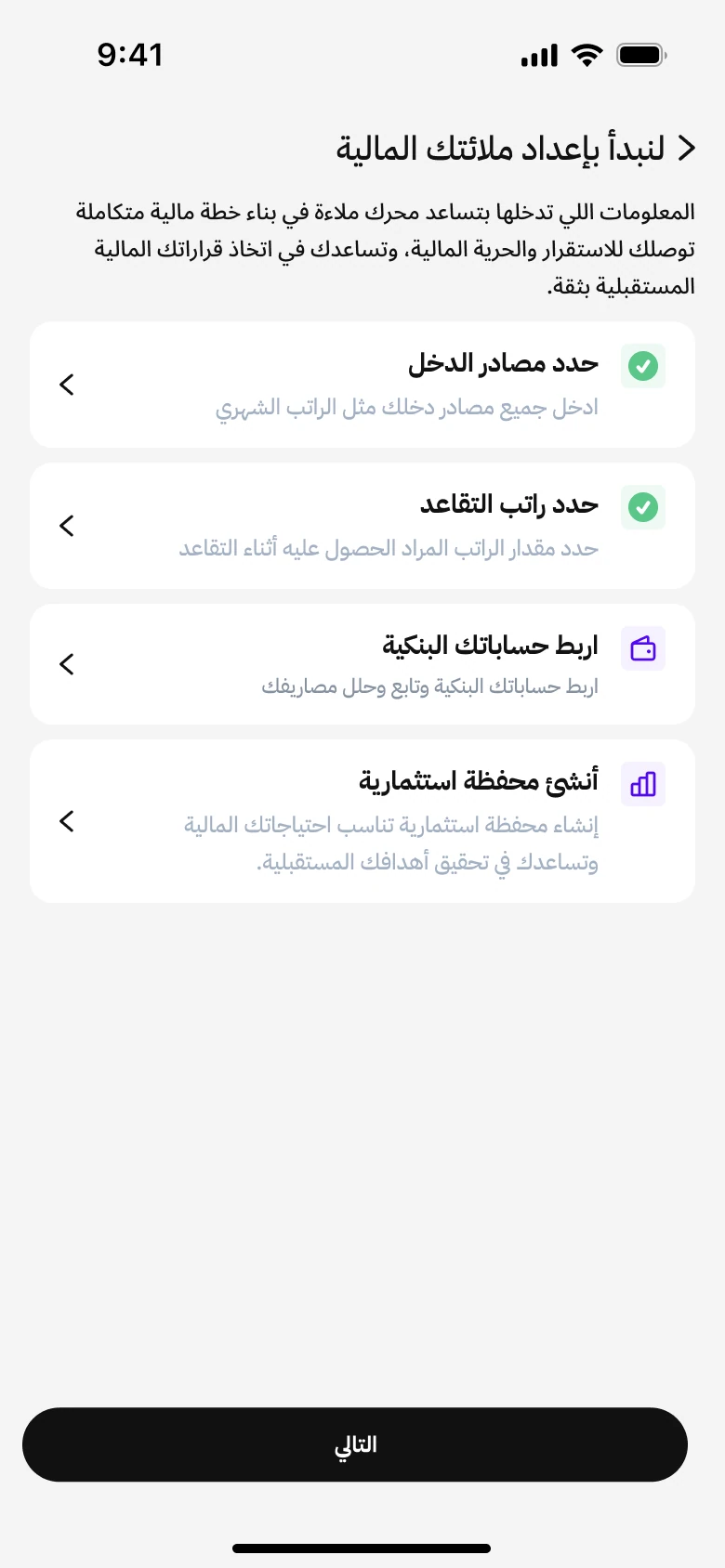
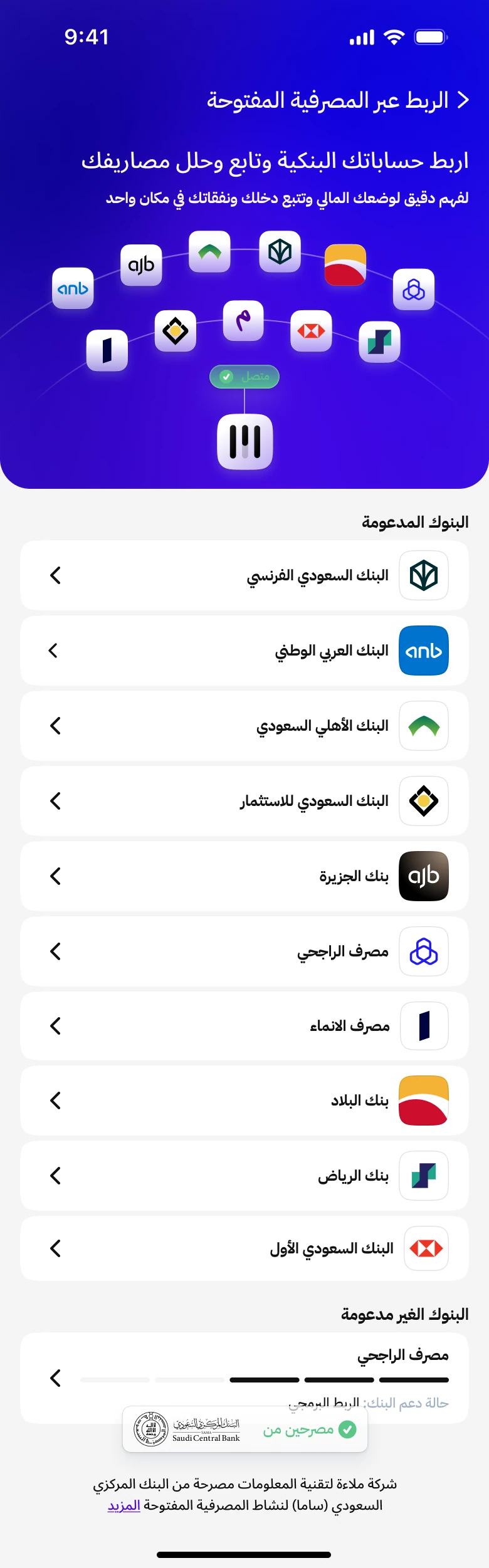
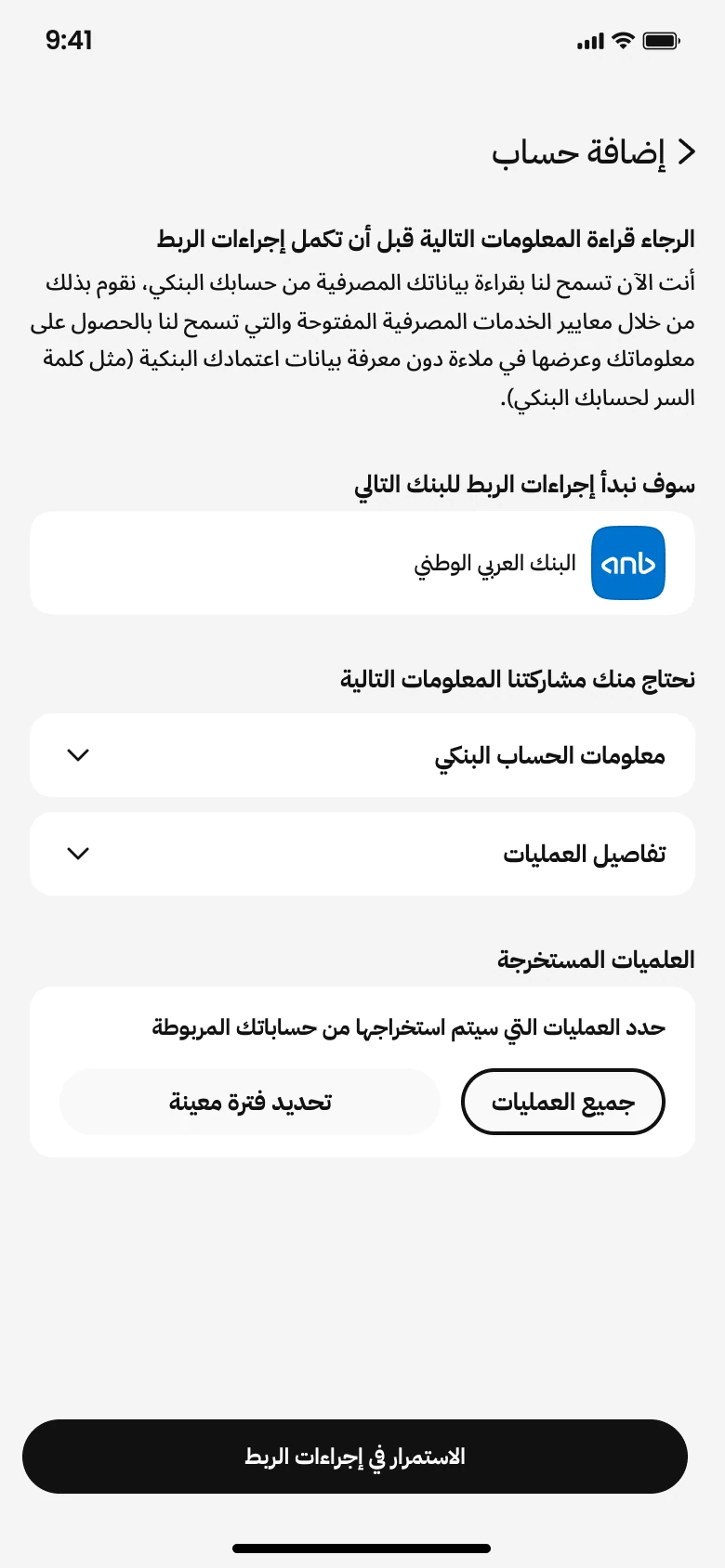

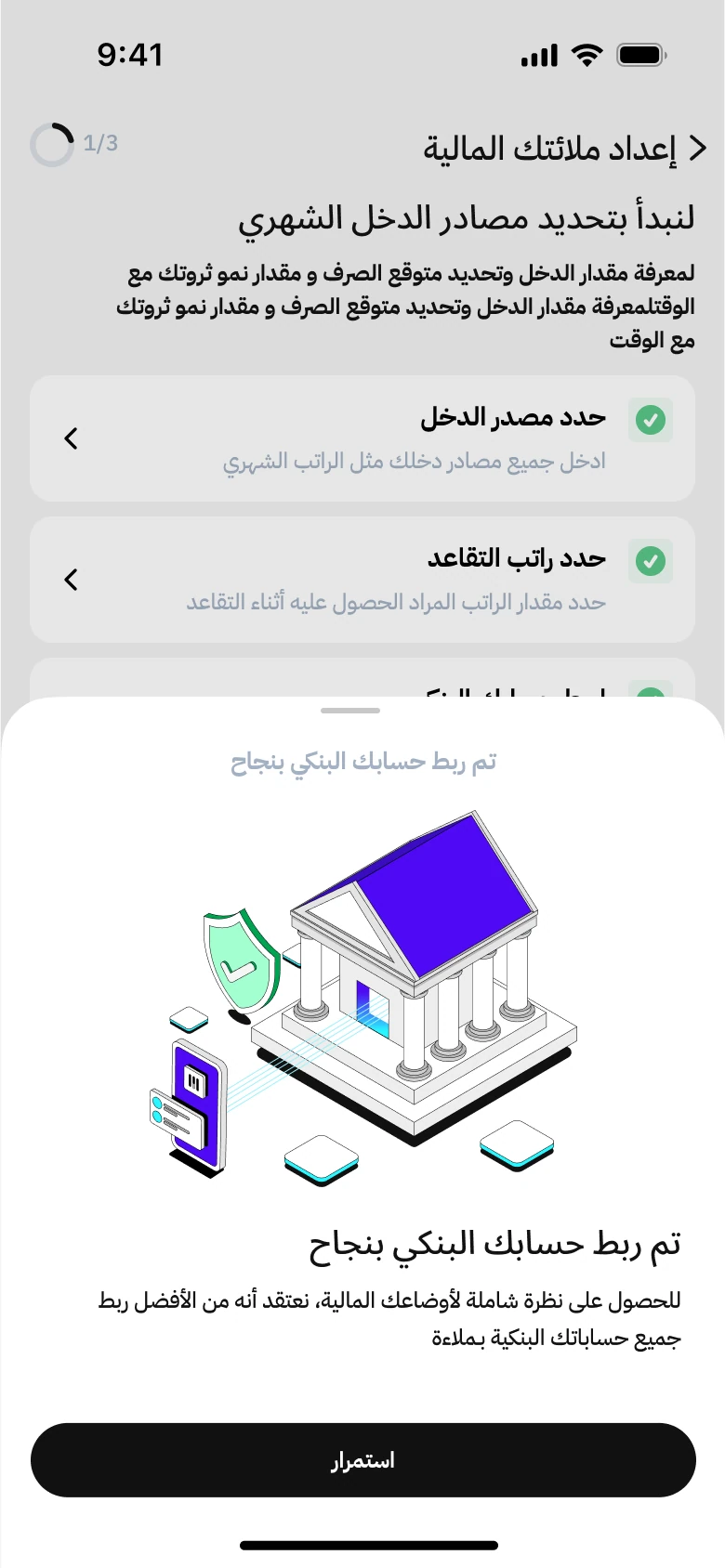
1 of 6 · Select bank connection on the checklist.
Next: investment setupFollow the highlighted controls or use the button below the screen. The bank page is a placeholder in the supplied design; this demo does not connect a real account.
Bring investing into the planning journey.
I connected investment setup to planning because the recommendation depends on financial circumstances and risk preferences. A review step lets people inspect the portfolio before adding it to the plan.
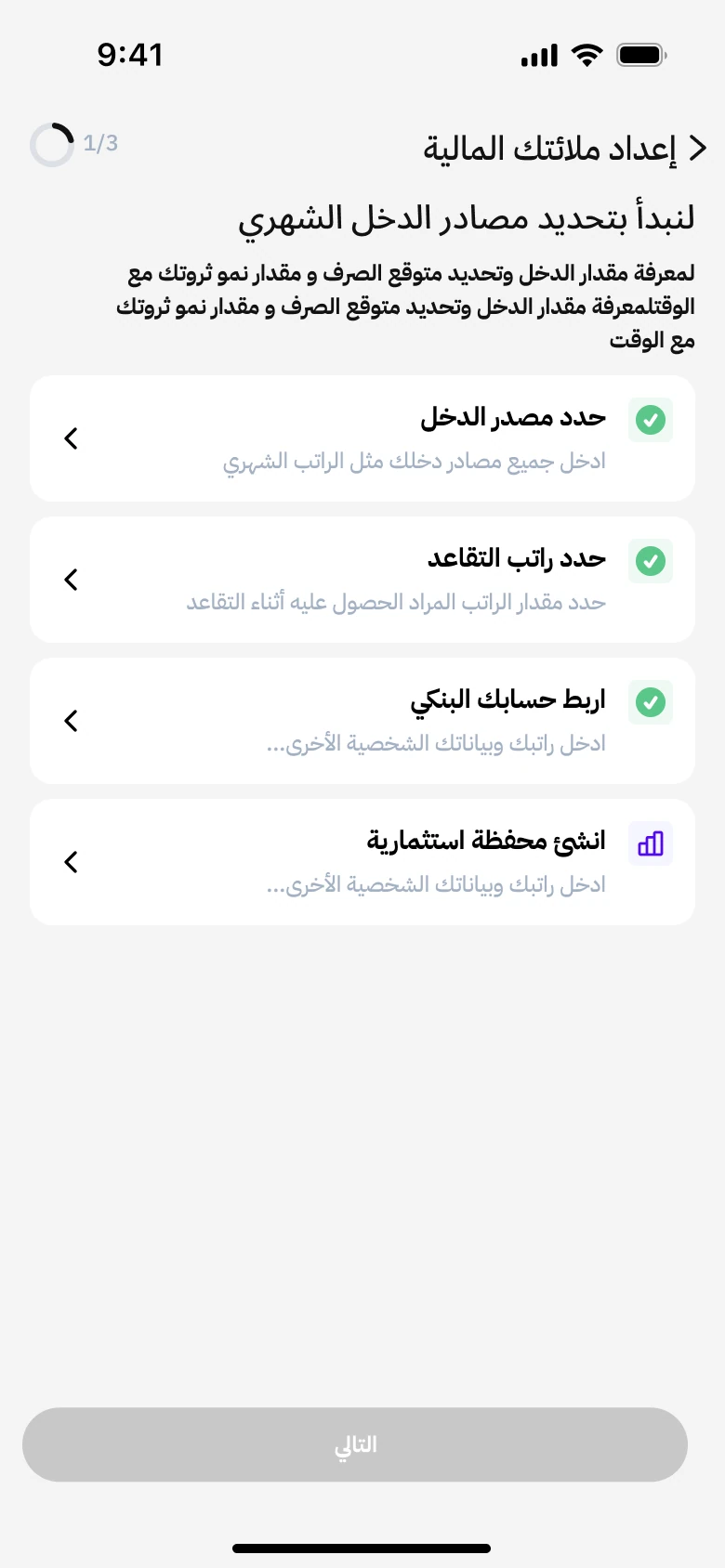
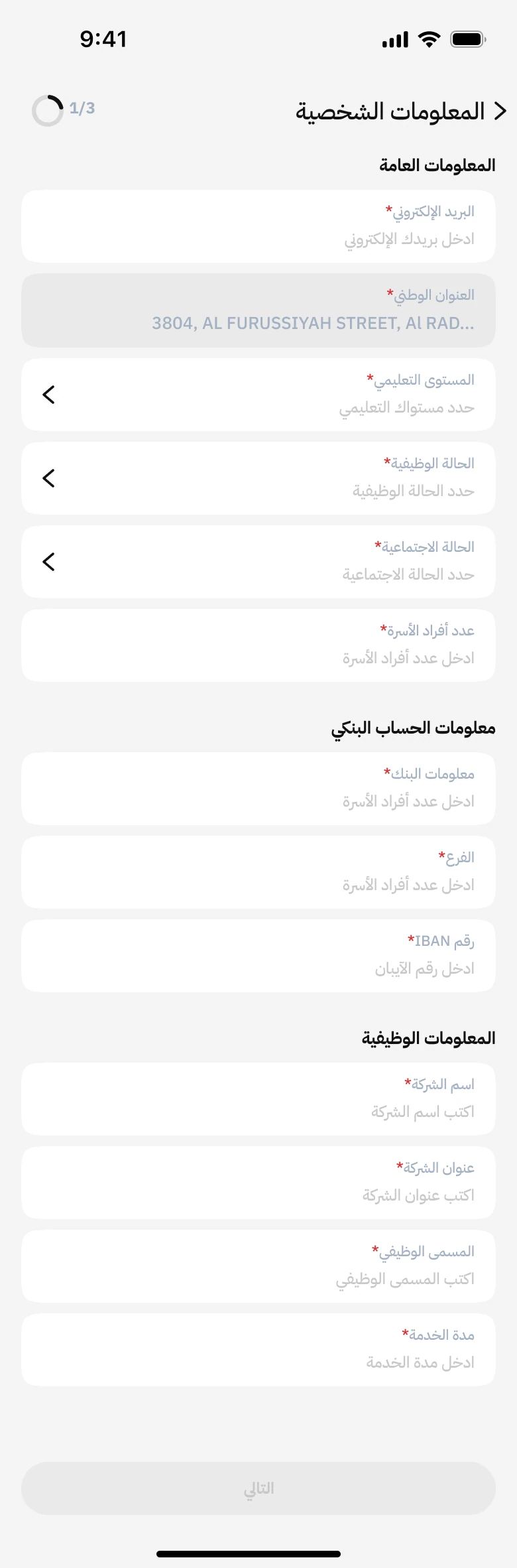
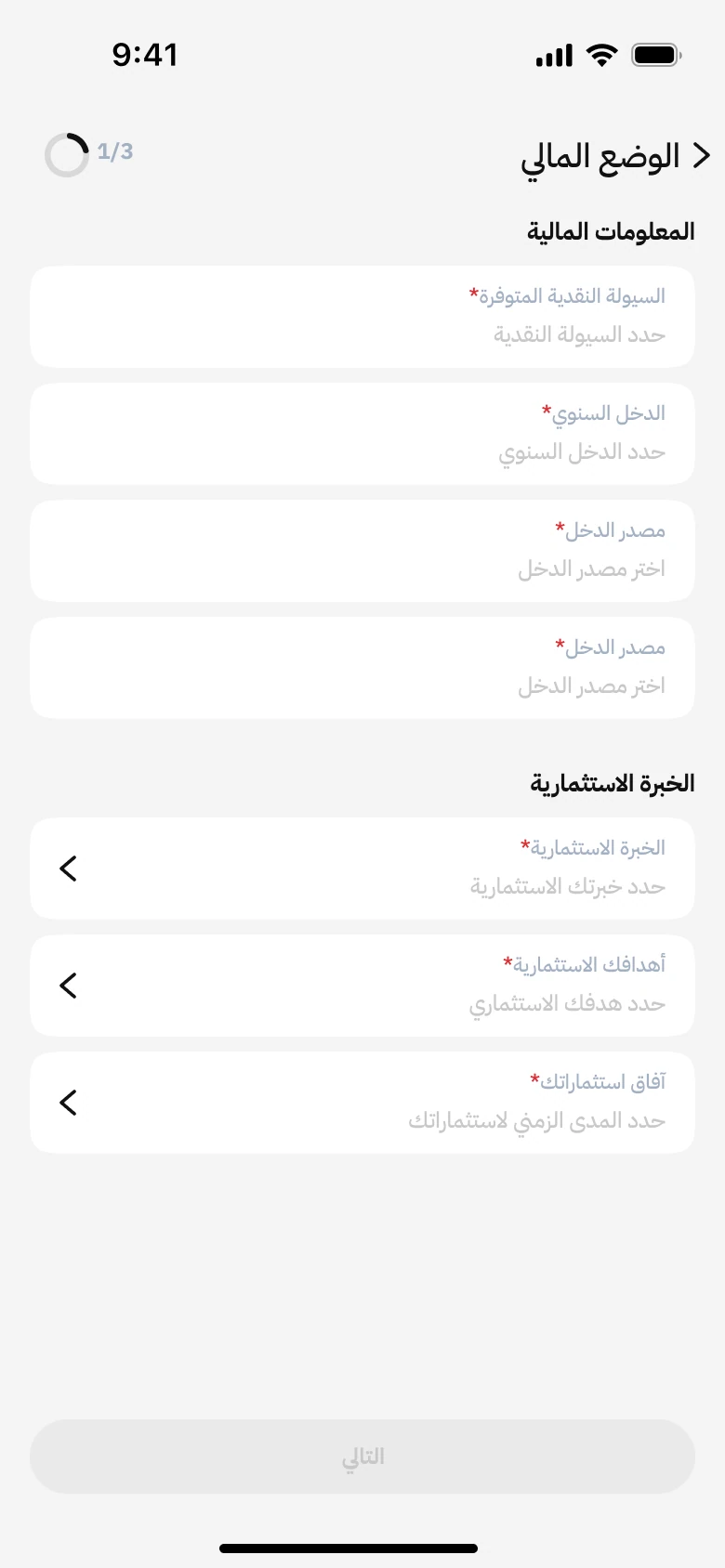
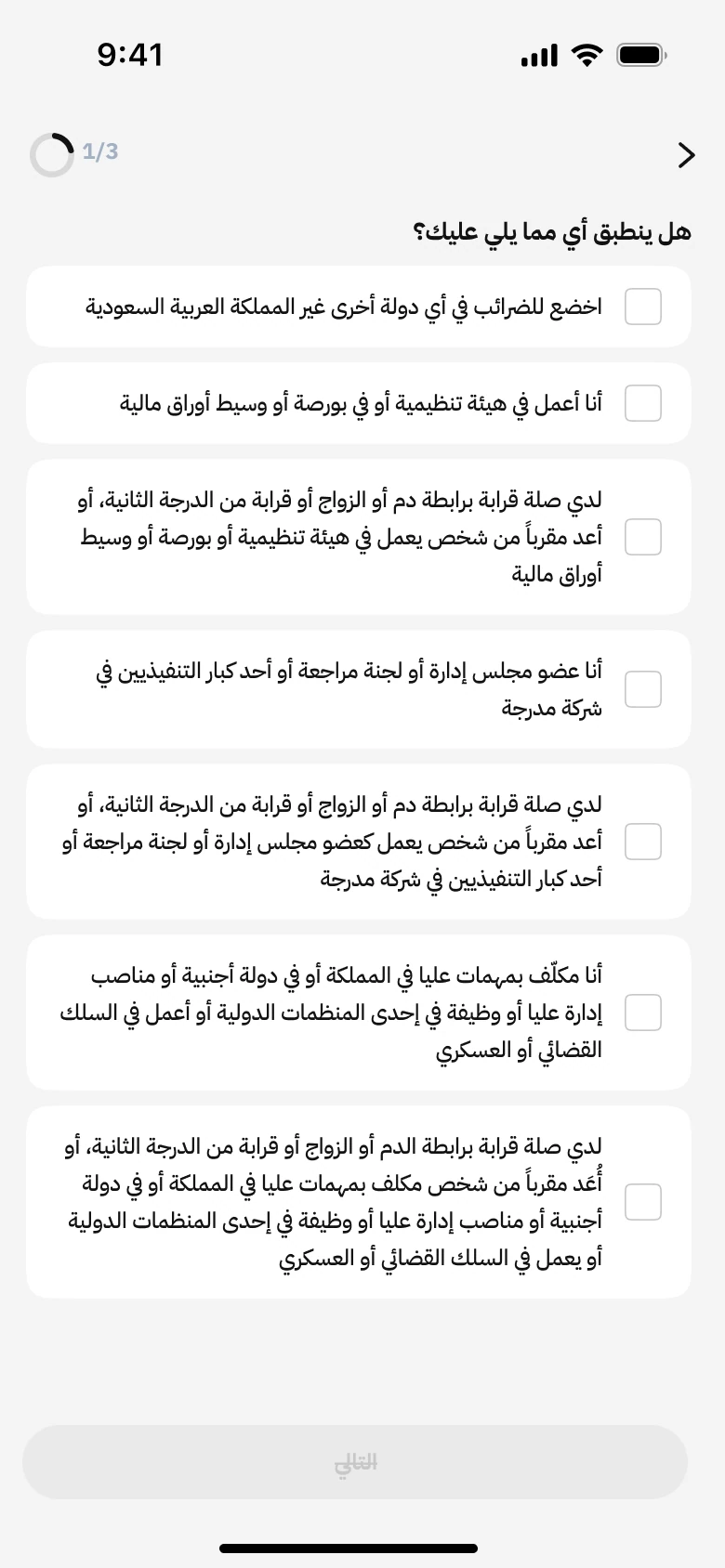
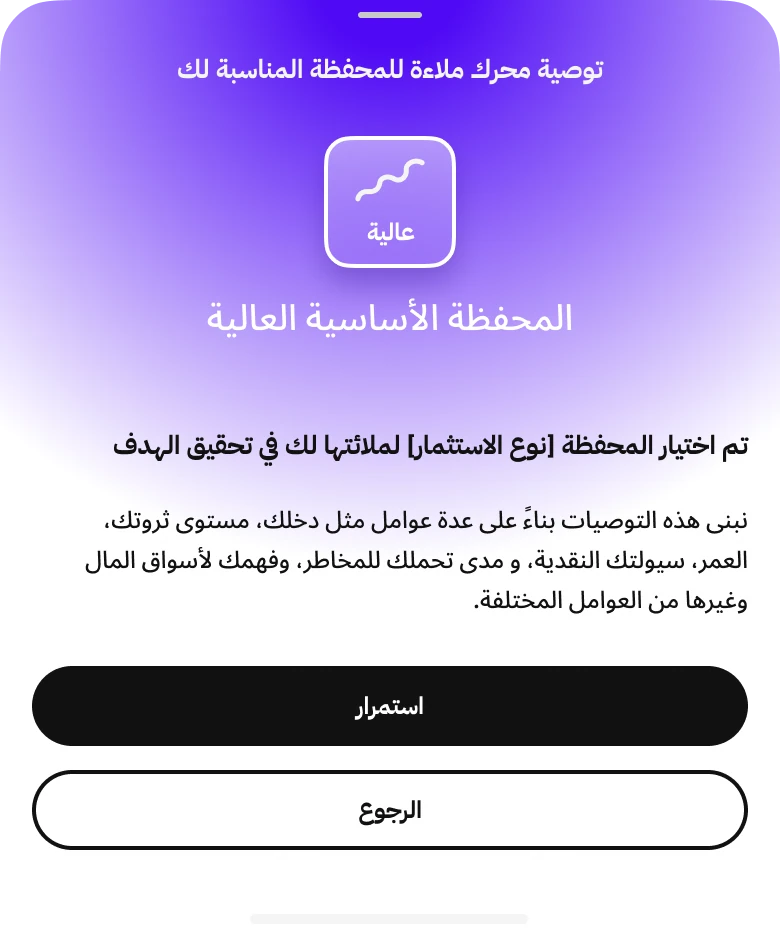
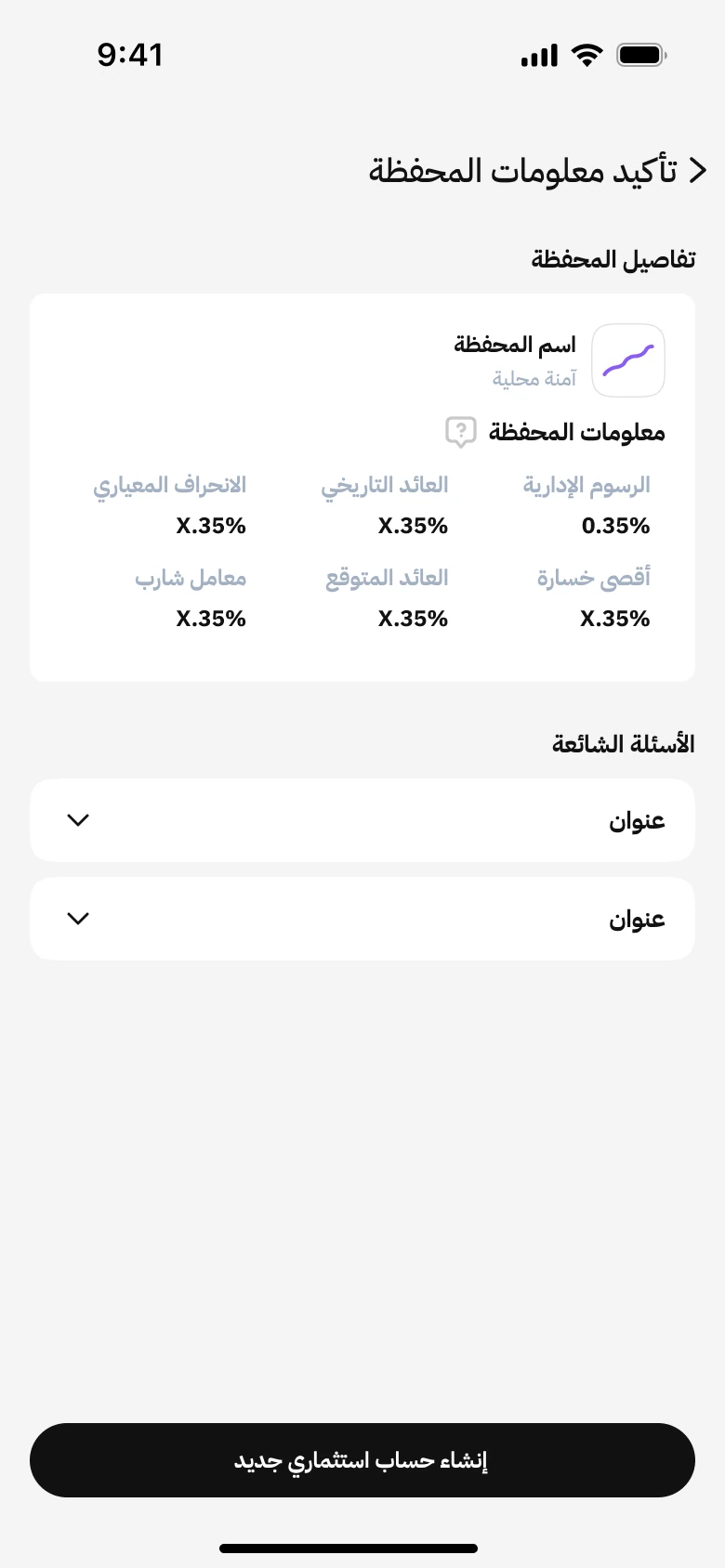
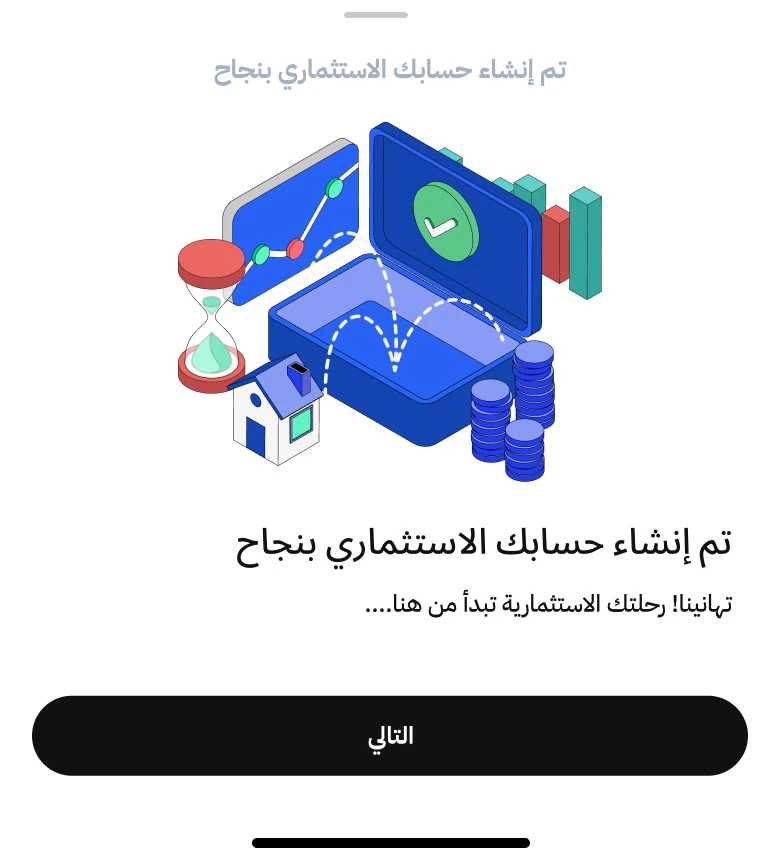
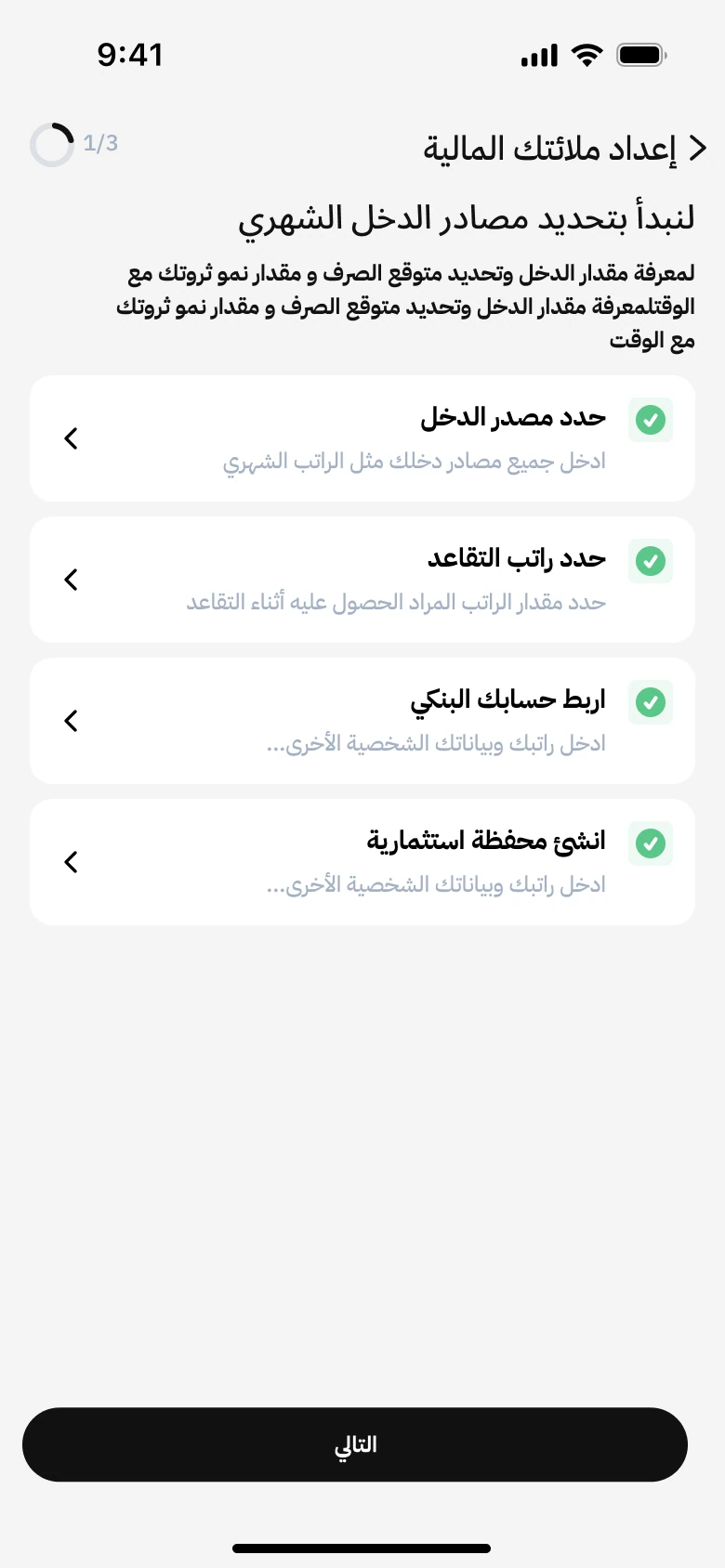
1 of 8 · Select investment portfolio on the checklist.
Next: prepare the planScroll through the supplied forms, then continue through the demo. These are design screens with sample values and placeholders, so no personal information is needed.
Turn the inputs into a plan.
I used a dedicated loading state to explain what the plan is analyzing. The projection and progress indicator connect the financial inputs to the overview that follows.
محرك ملاءة يقوم بتحليل بيانات
الخطة
محرك ملاءة سيقوم بدراسة الخطة والبيانات الصرف والدخل، لمعرفة متى يمكن التقاعد وتقديم نصائح مخصصة تتناسب مع وضعك المالي ولتحقيق أهدافك
Ready to preview the calculation.
View the plan overviewPlay the looping loading animation. Pause at any time or continue to the plan overview.
Review the outlook and what shapes it.
I brought the retirement target, expected balance, remaining gap, and financial inputs into one view so people could inspect the assumptions before adopting their plan.
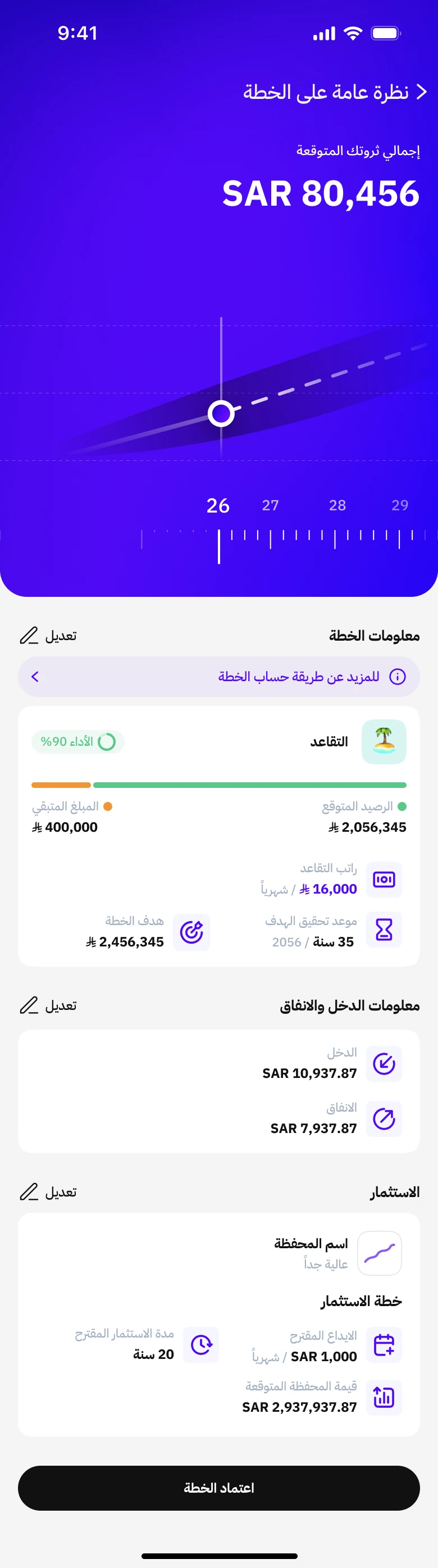
Select a topic or scroll inside the screen. Values are examples from the supplied design.
See the plan as an ongoing picture.
The planning overview brings the wealth projection and individual goals together. It gives people a place to return to as their goals and financial decisions change.
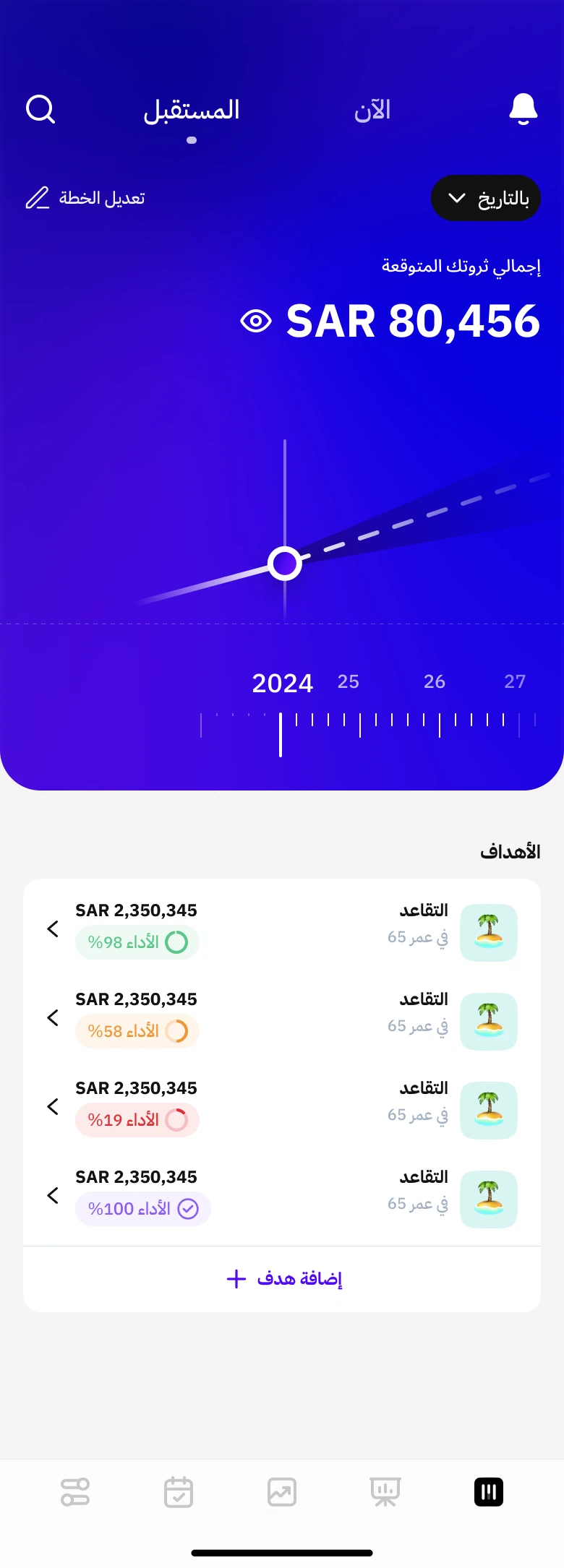
A change to one goal
can change the whole plan.
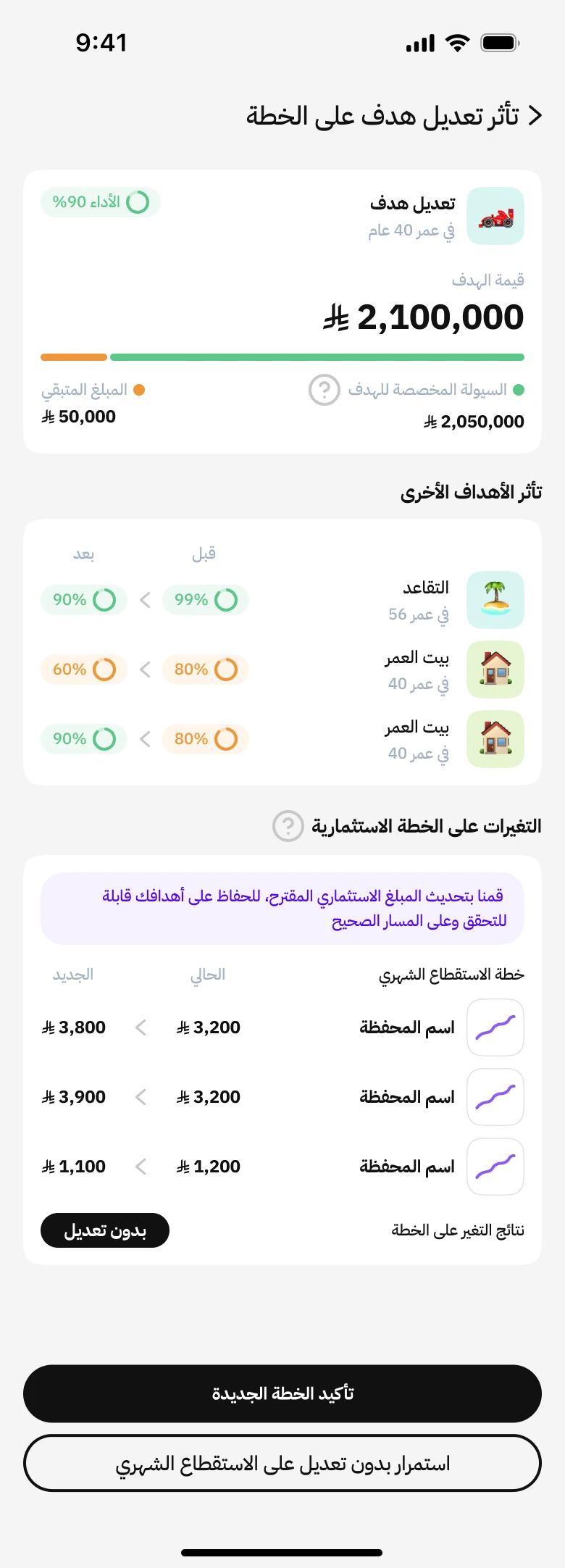
The designs introduce a review step that shows effects on other goals and proposed changes to monthly investment contributions. The person can then confirm the new plan or continue without changing the monthly contribution.
GOAL EDITING / UNDERSTAND THE IMPACT BEFORE CONFIRMING
- Edit inputsChange a goal or plan
Open the relevant goal or plan and update its inputs.
- Impact reviewSee what else changes
Effects on other goals
Proposed monthly contributions - Your decisionChoose how to continue
Confirm the new plan, or continue without changing monthly contributions.
Show the tradeoff before asking for a decision.
A review step adds time to an edit. Its purpose is to show the wider effects on the plan while the person can still choose how to proceed.
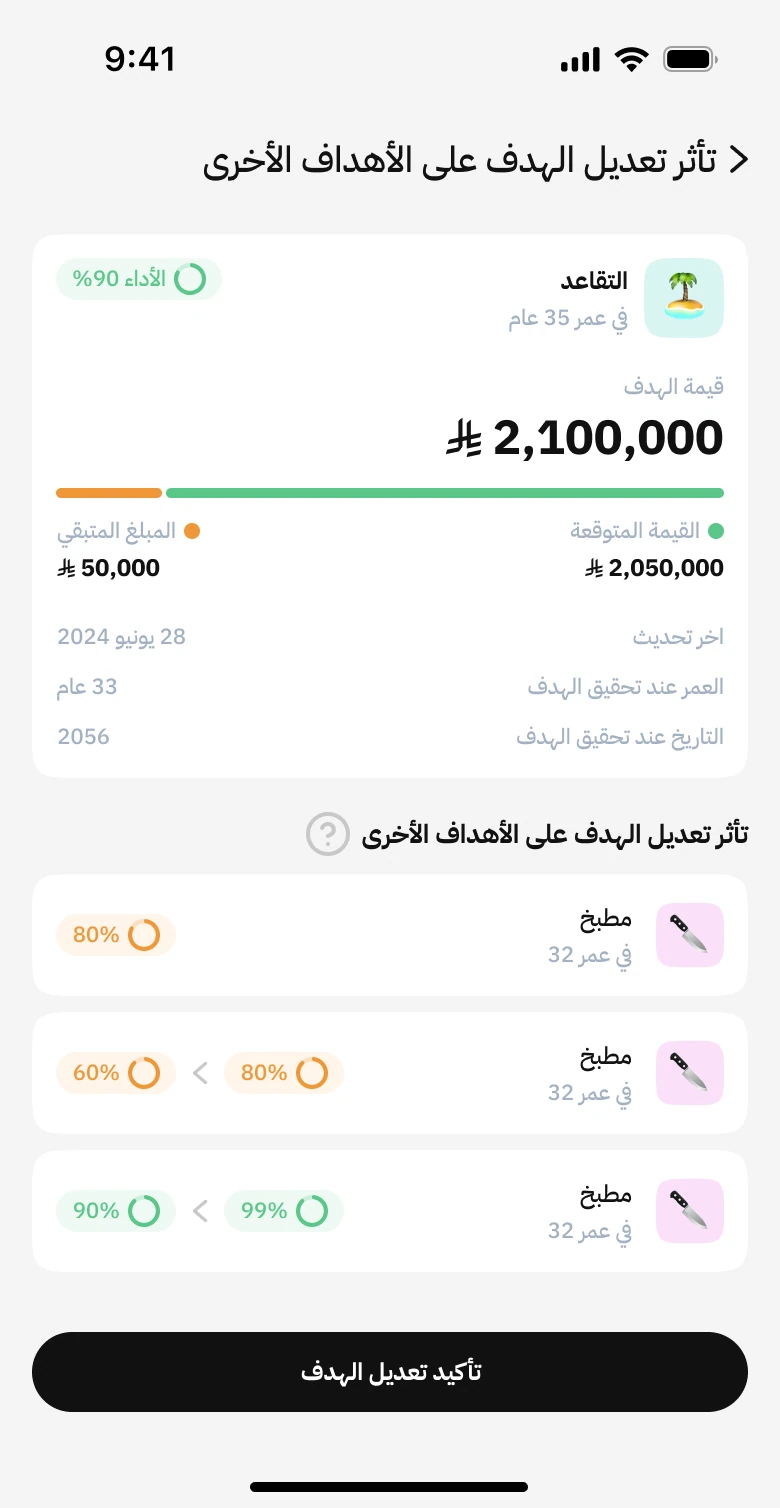
Design the choices around the projection.
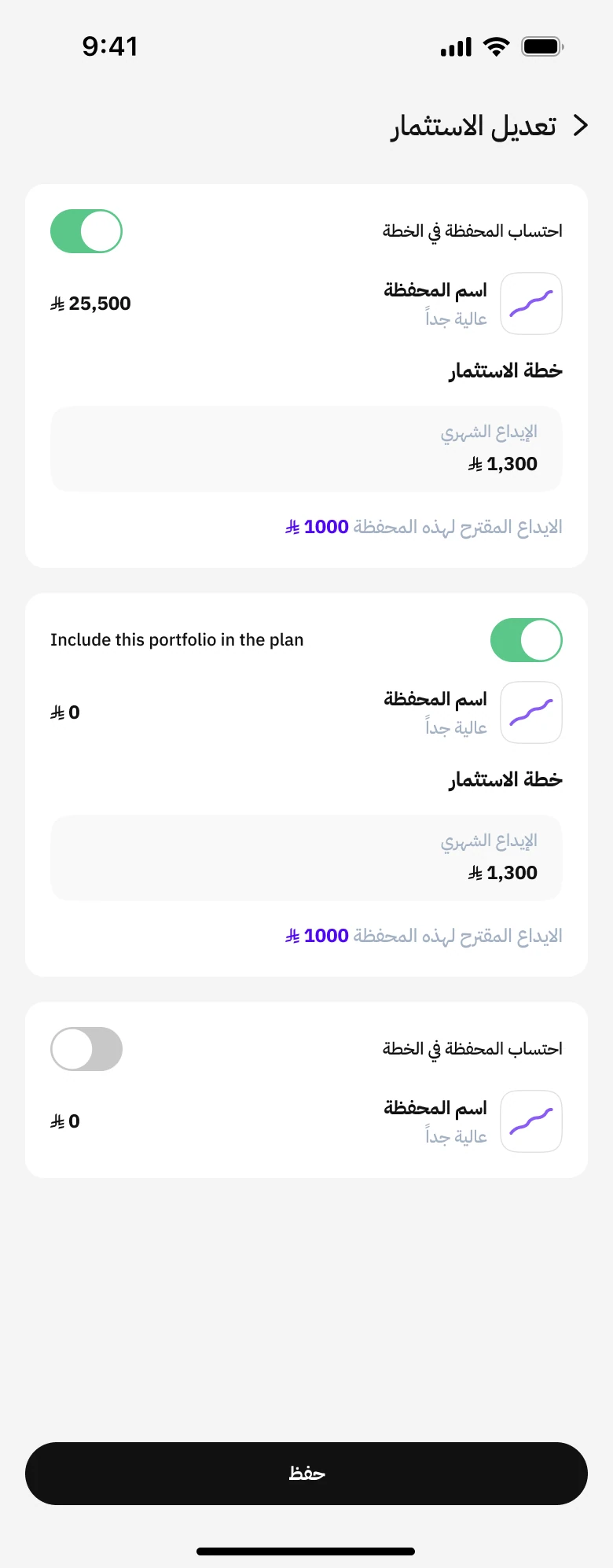
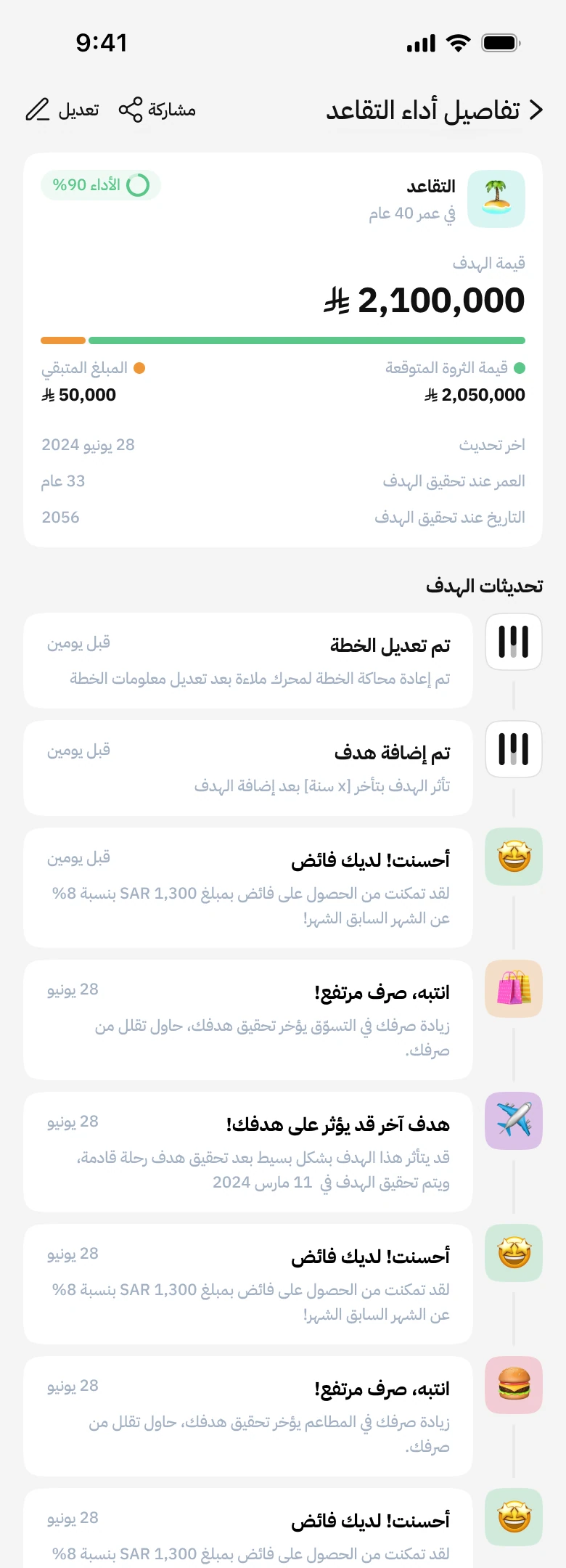
The screens extend beyond the main journey into investment selection and goal history.
The investment editor lets a person include or exclude individual portfolios and set monthly contributions. Goal details contain a history of changes.
Make the consequences visible before confirming.
The final flow puts the effect on other goals and suggested monthly contributions in a review step. People can accept the revised contributions or keep the current amount.
Delivered as part of Malaa’s new experience.
Malaa publicly introduced the new wealth-planning experience on 16 July 2026. Watch the release announcement.
See the released experience.
Malaa’s announcement introduces the new version and the planning capabilities this work contributed to.