UI/UX · Taswyah · 2026
Learn first, then invest without the risk.
Taswyah is a course platform for trading and investing, in Arabic and English. I designed and built its app, Taswyah Screen, in the order a beginner should go: learn the basics in short video lessons, show you’ve understood them in a quiz, then put them to work in a simulator with virtual money. Around that sits a home screen made to be opened every day.
Visit taswyah.com (opens in a new tab) Open the app (opens in a new tab)
- Role
- Designer & developer
- Product
- Courses in trading and investing
- Platform
- Next.js and Supabase on Netlify
- Languages
- Arabic and English
A school first, a trading screen second.
Learn in a clear order
A beginner doesn’t know what to learn first. Each course is laid out as a path: every lesson leads to the next, and a quiz decides when you move on.
Then invest without the risk
The simulator comes after the lessons, not instead of them. It is where the lessons get used, with virtual cash and real prices, so a mistake costs nothing.
A reason to come back daily
The home screen brings the markets and the next lesson together, so opening the app each day is worth it even between lessons.
A code, not a password.
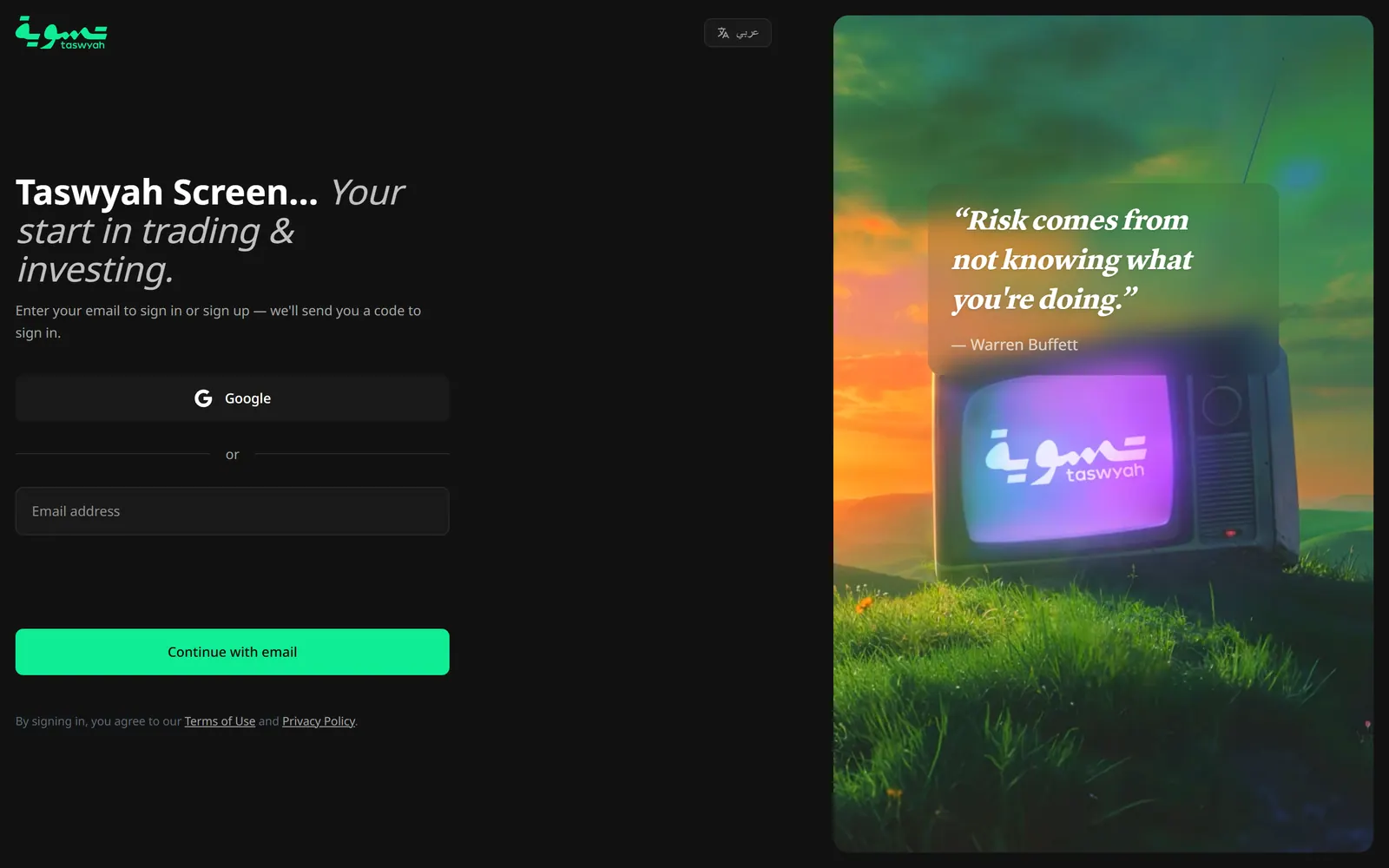
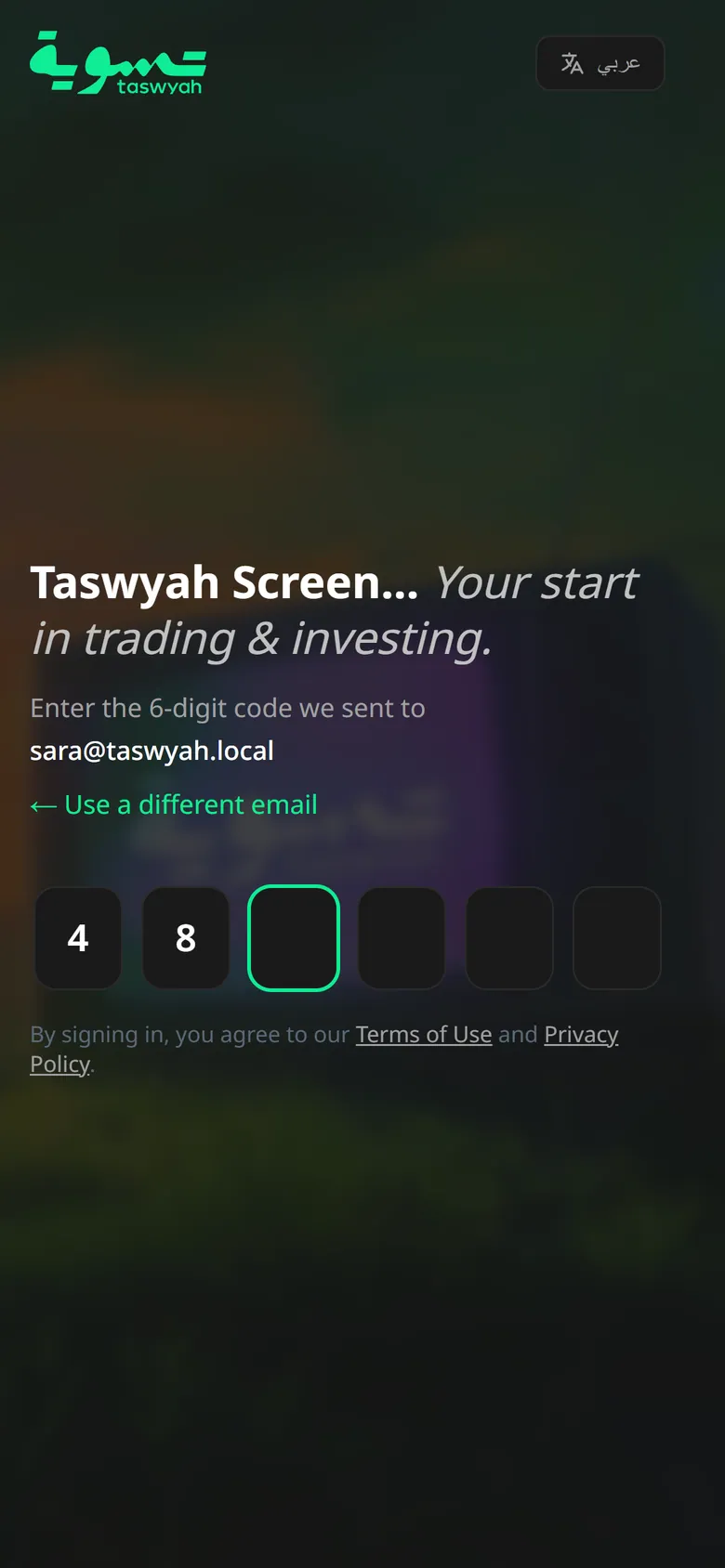
You sign in with your email and a six-digit code, or with Google. There’s nothing to remember, and the same step signs you up.
The other half of the screen sets the tone with the line the app keeps coming back to: “Risk comes from not knowing what you’re doing.”
A home screen to check every day.
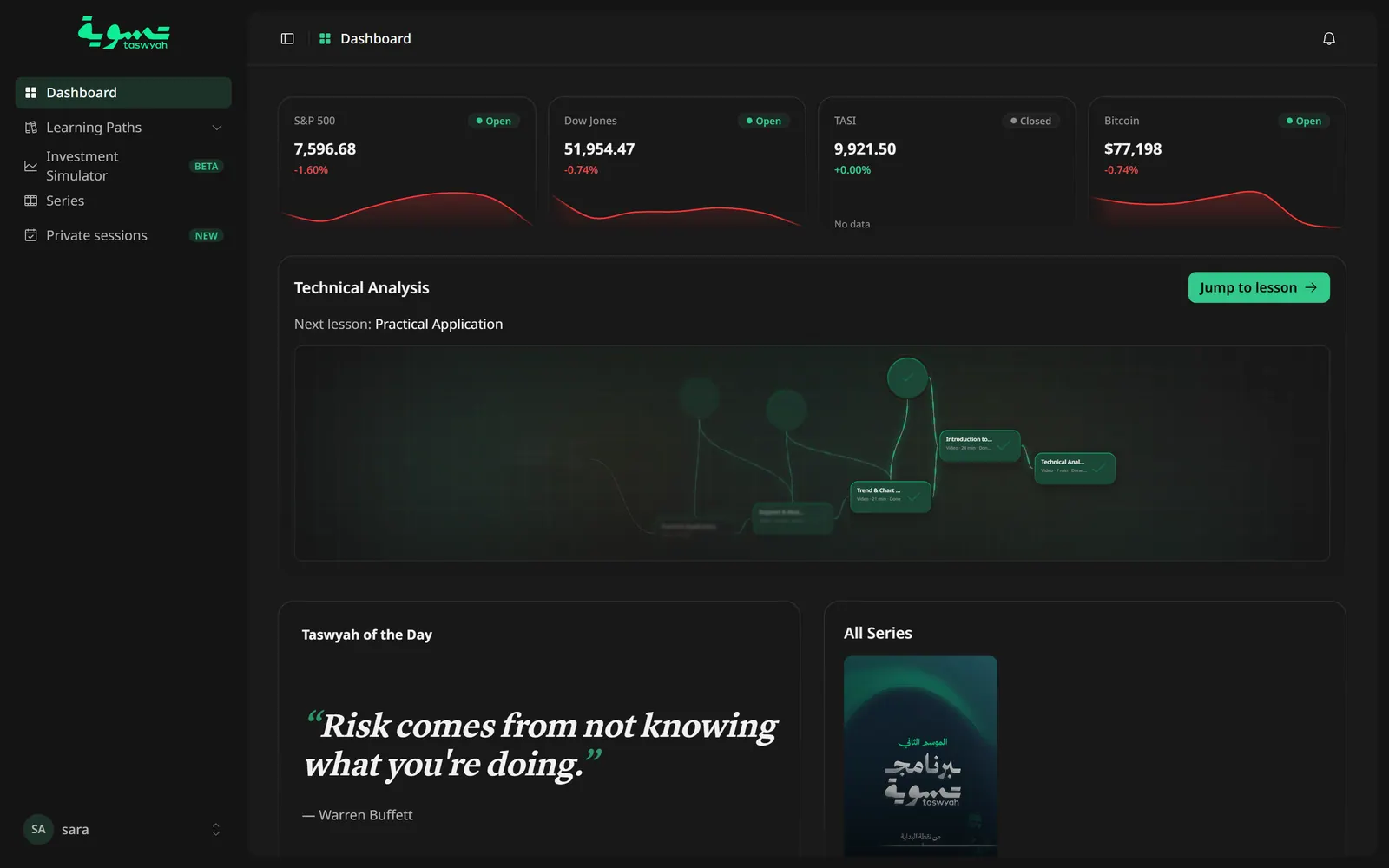
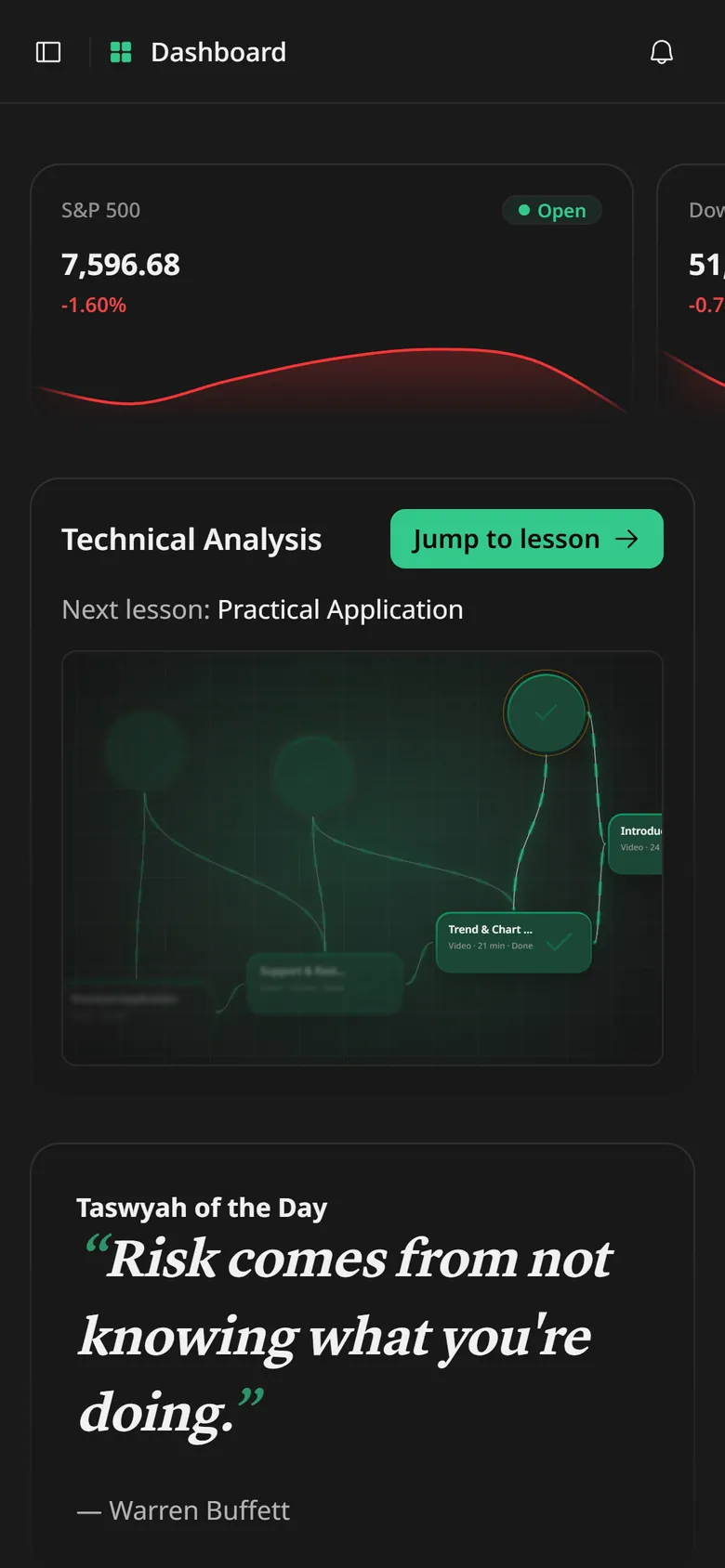
The home screen answers the two things a learner opens the app for: what the market did, and what to learn next. Four markets sit at the top, the S&P 500, the Dow Jones, TASI and Bitcoin, each marked open or closed. Under them is the course you’re on, with its next lesson one tap away, then a thought for the day and the latest series.
I designed it to grow into the daily check-in for anything that moves: market news, course updates and new lessons as they’re released. The page is built from cards, so each new kind of update takes a place on it rather than a new screen.
The whole course on one map.
I drew each course as a tree, so a learner sees all of it from the first day. Each node is a lesson or a quiz, and the locked ones carry a padlock, so you can see how far you’ve come and what opens next. Click a track to focus it, or a node to see what it covers.
On a phone the same path is a list in three groups: available, completed and locked.
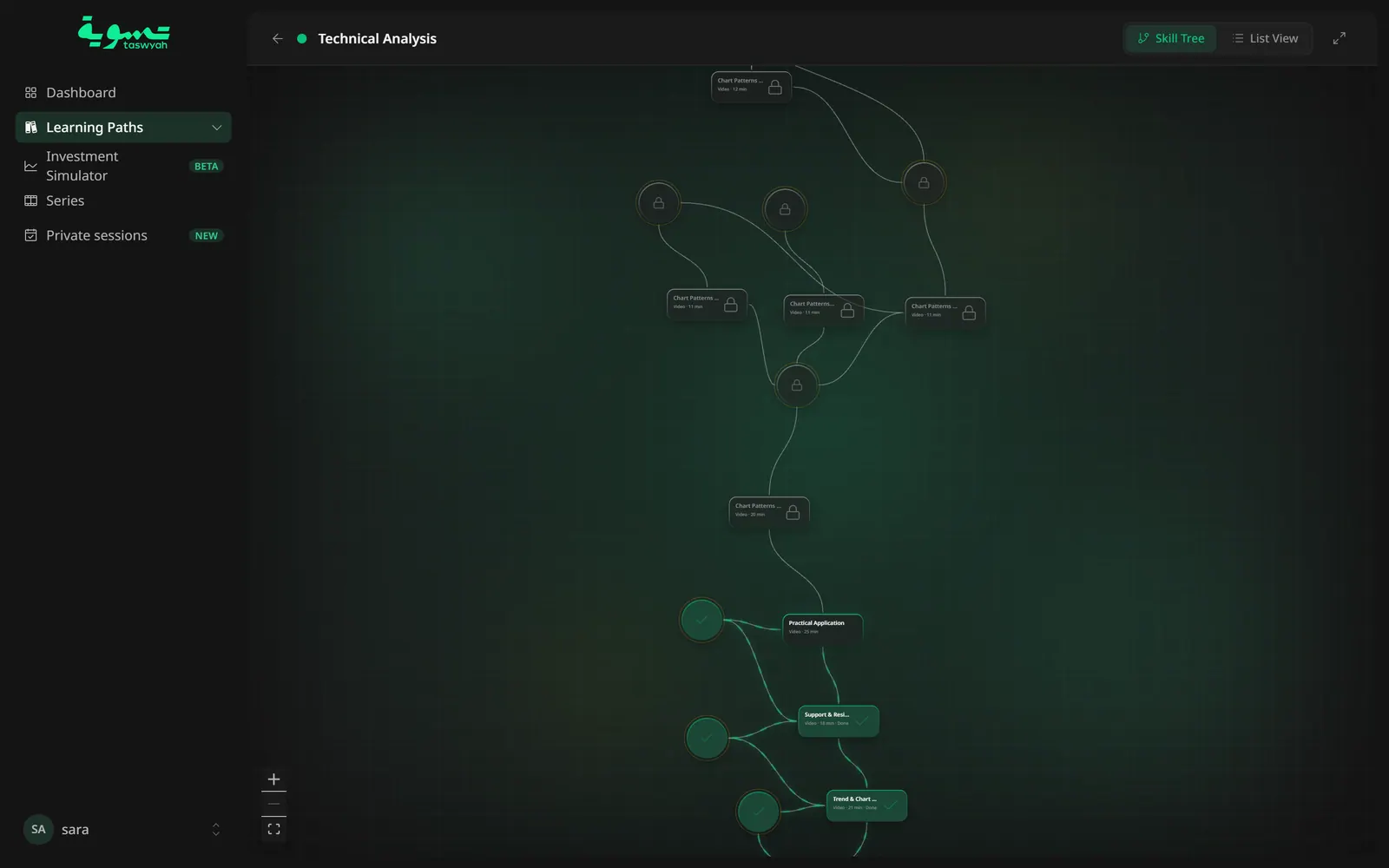
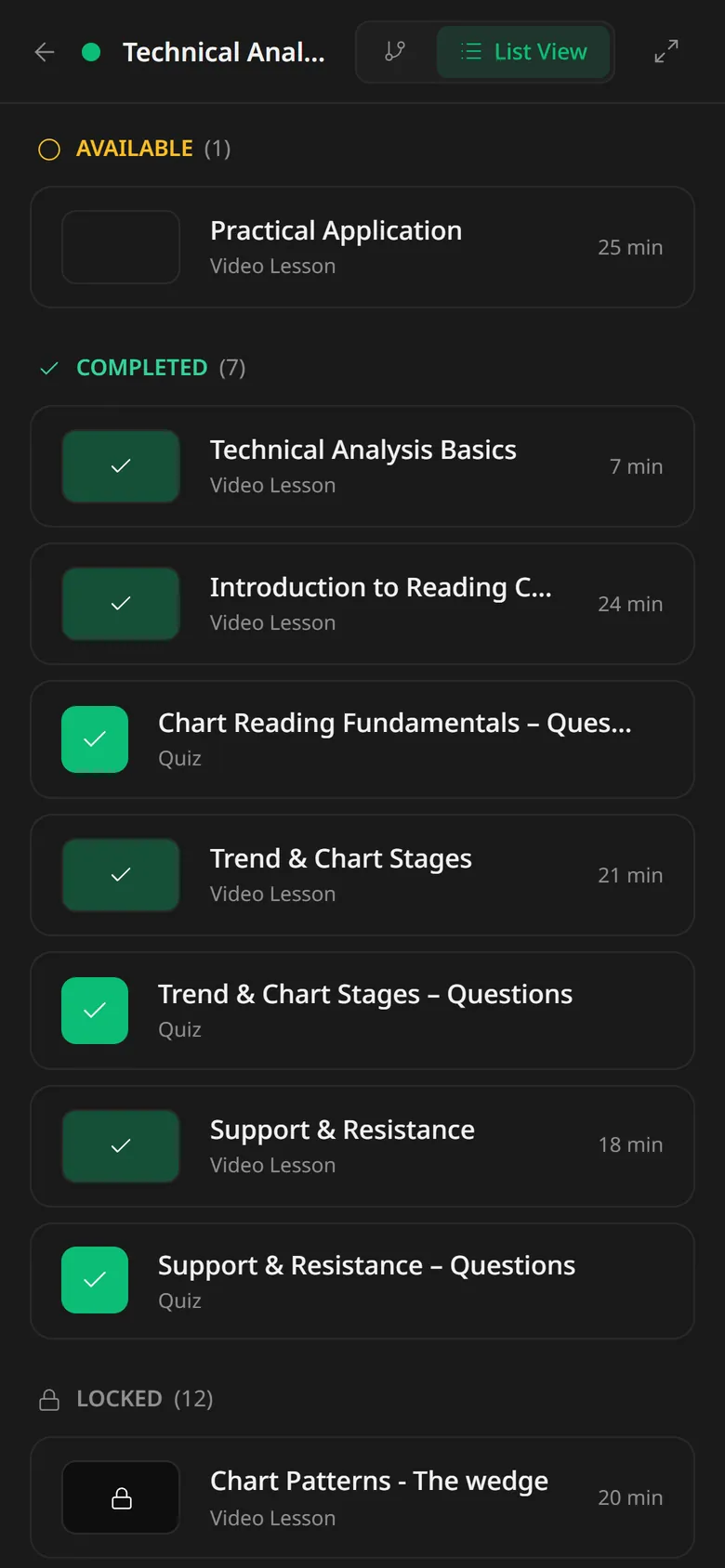
A quiz decides when you move on.
The Technical Analysis path is twenty steps: twelve video lessons and eight quizzes. Each quiz asks about the lessons before it, one question at a time.
A lesson stays locked until the one before it is done. Open it early and the app doesn’t just refuse: it names the step that’s missing and takes you there.
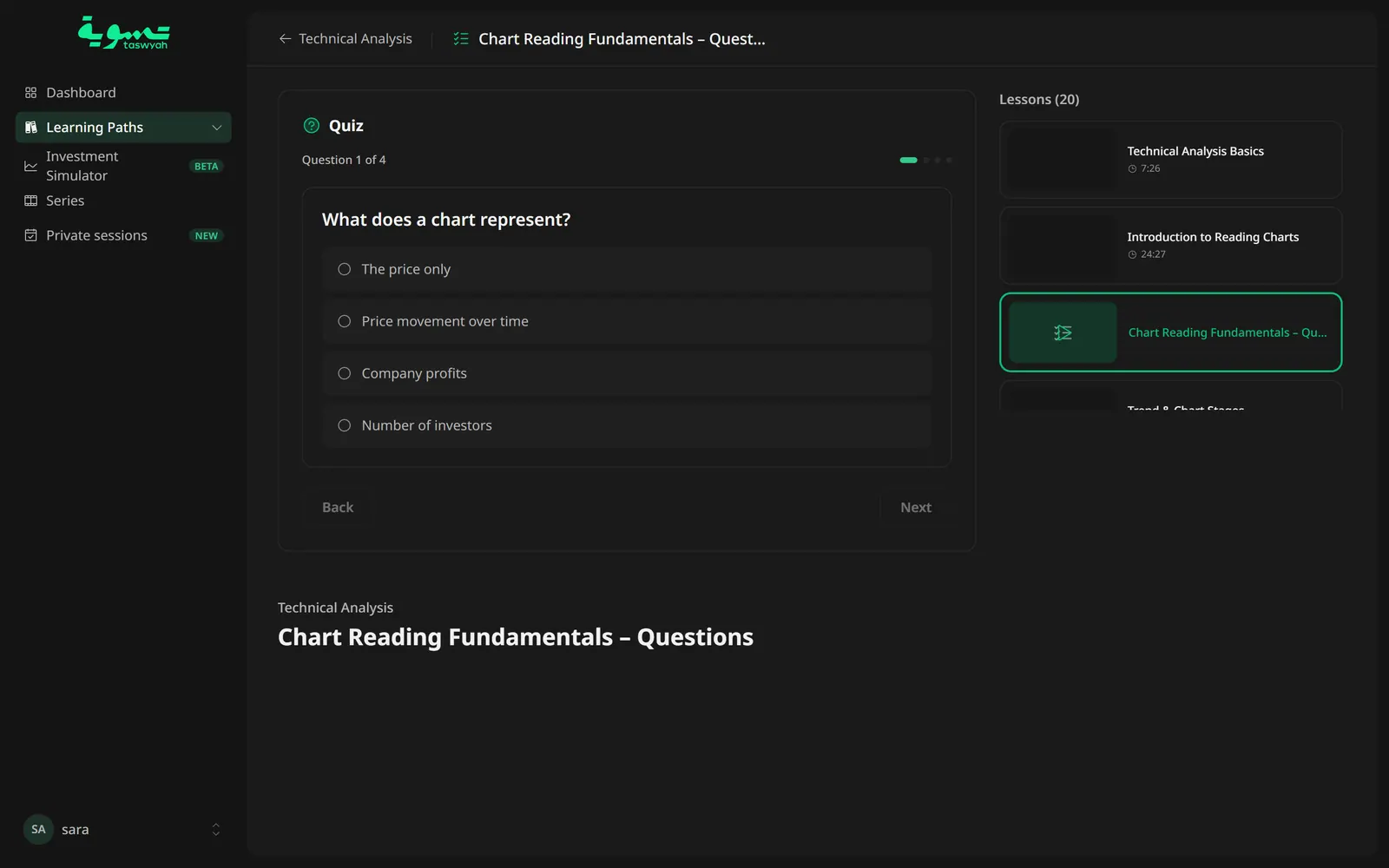
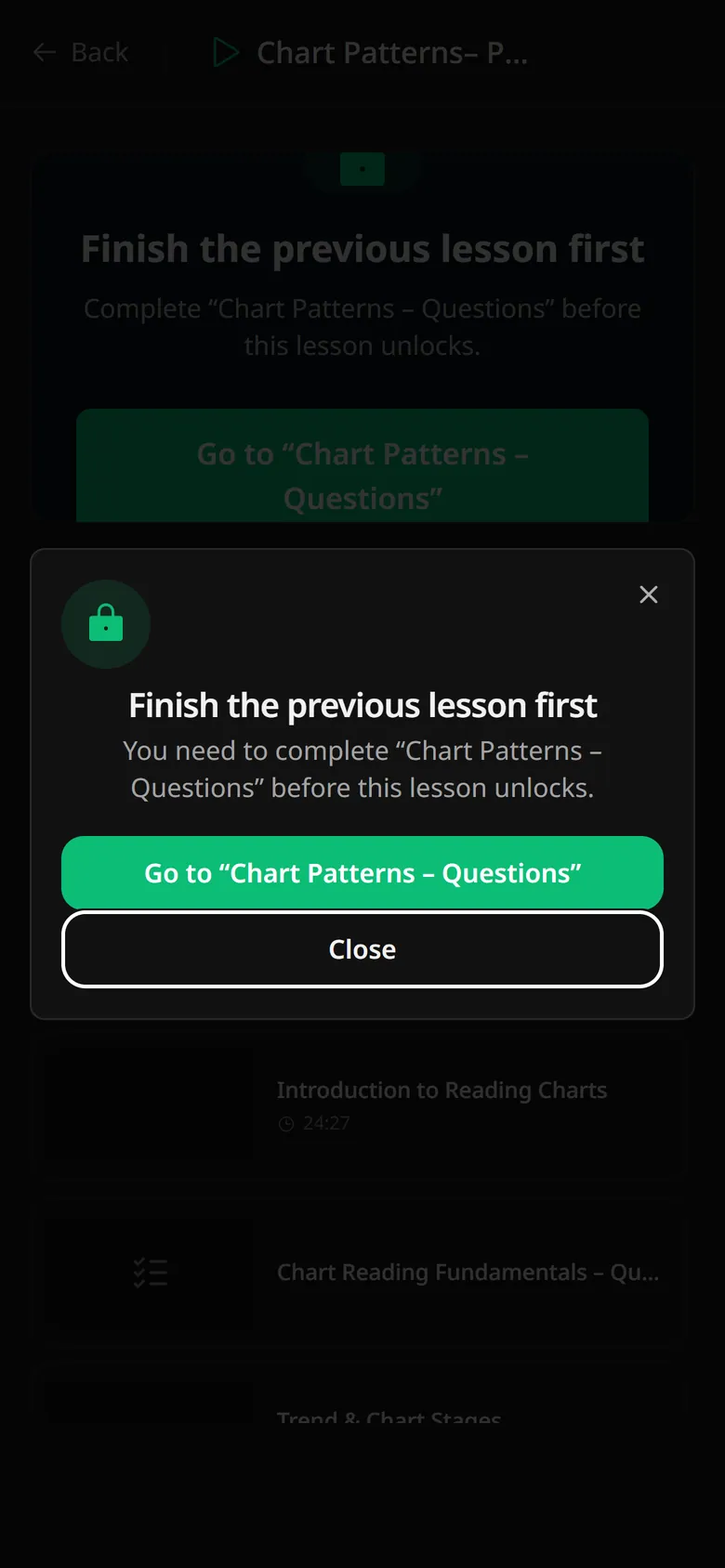
Then invest, without the risk.
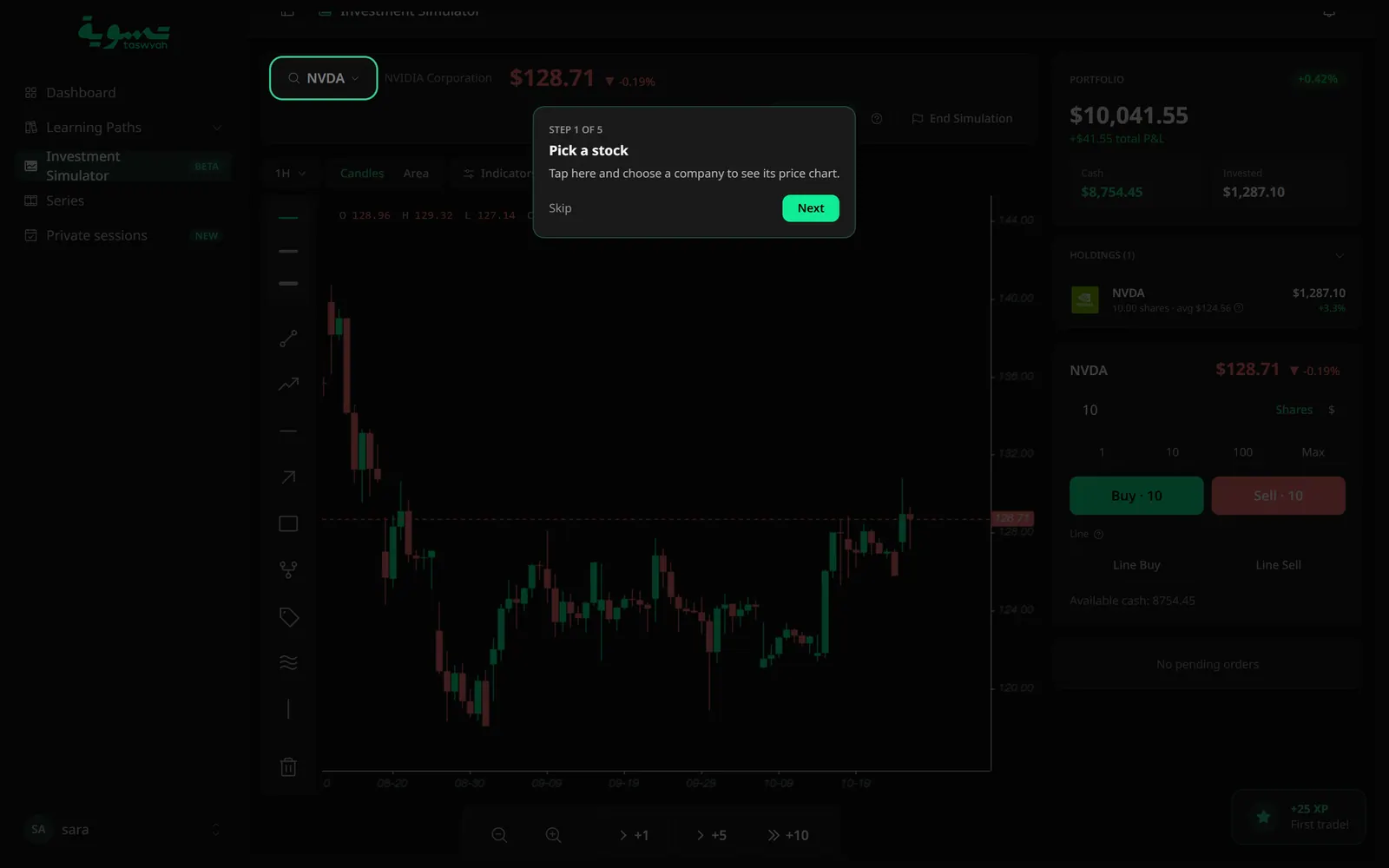
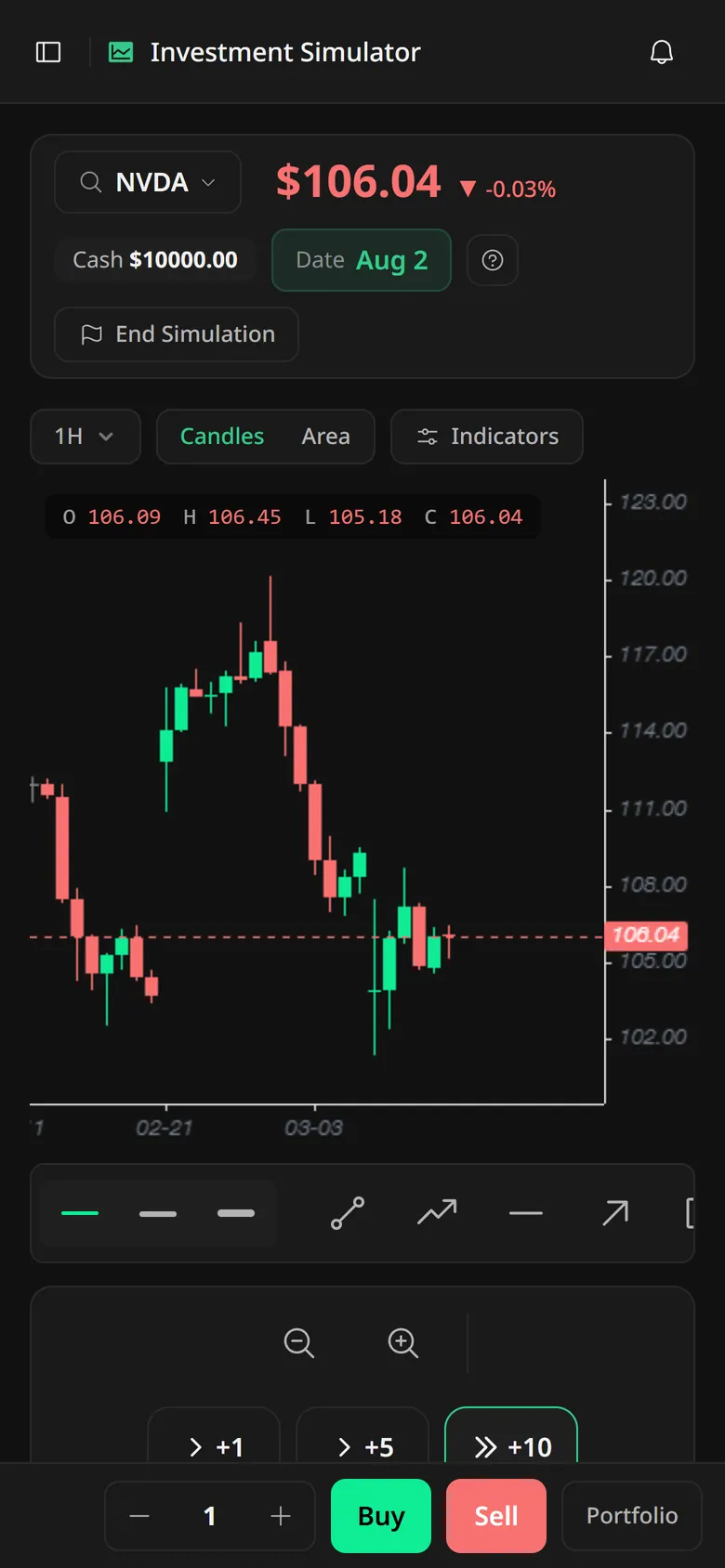
Once the lessons are in, the simulator is where they get used. It gives you $10,000 in virtual cash and a real company’s price history, but shows only the month and day. You can’t look up what happened next, so you have to read the chart. The market moves only when you move time forward, one, five or ten steps at a time, and the year is revealed when you finish.
The first run is a five-step tour, from picking a stock to setting a stop-loss with a line order. Good habits earn XP: a first trade, a stop-loss, a spread across sectors.
What you’ll learn, then the price.
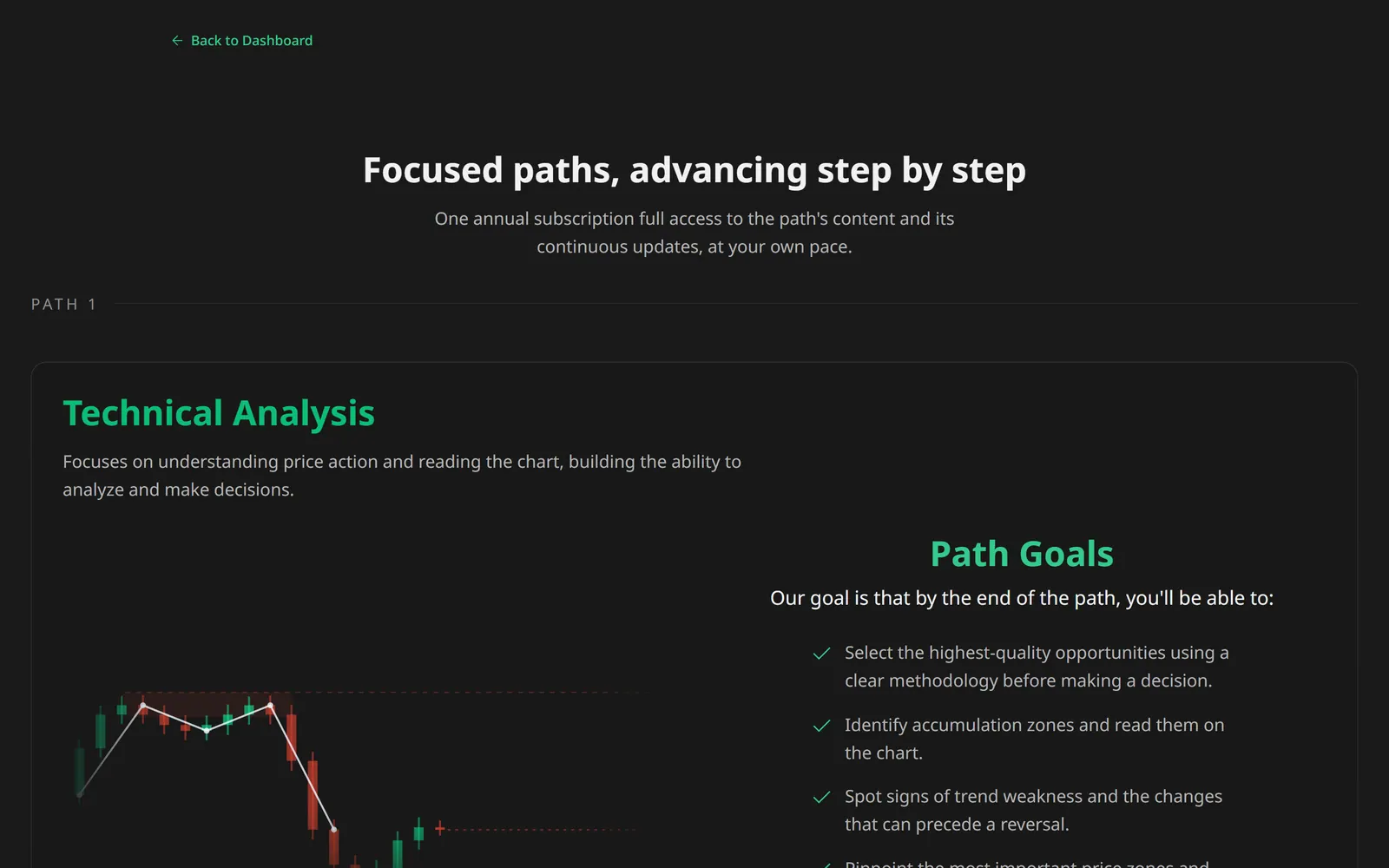
A path is sold as a year of access: its lessons, the simulator and the series, with updates as the path grows. The plan page says what the path teaches and what you’ll be able to do by the end before it asks for money.
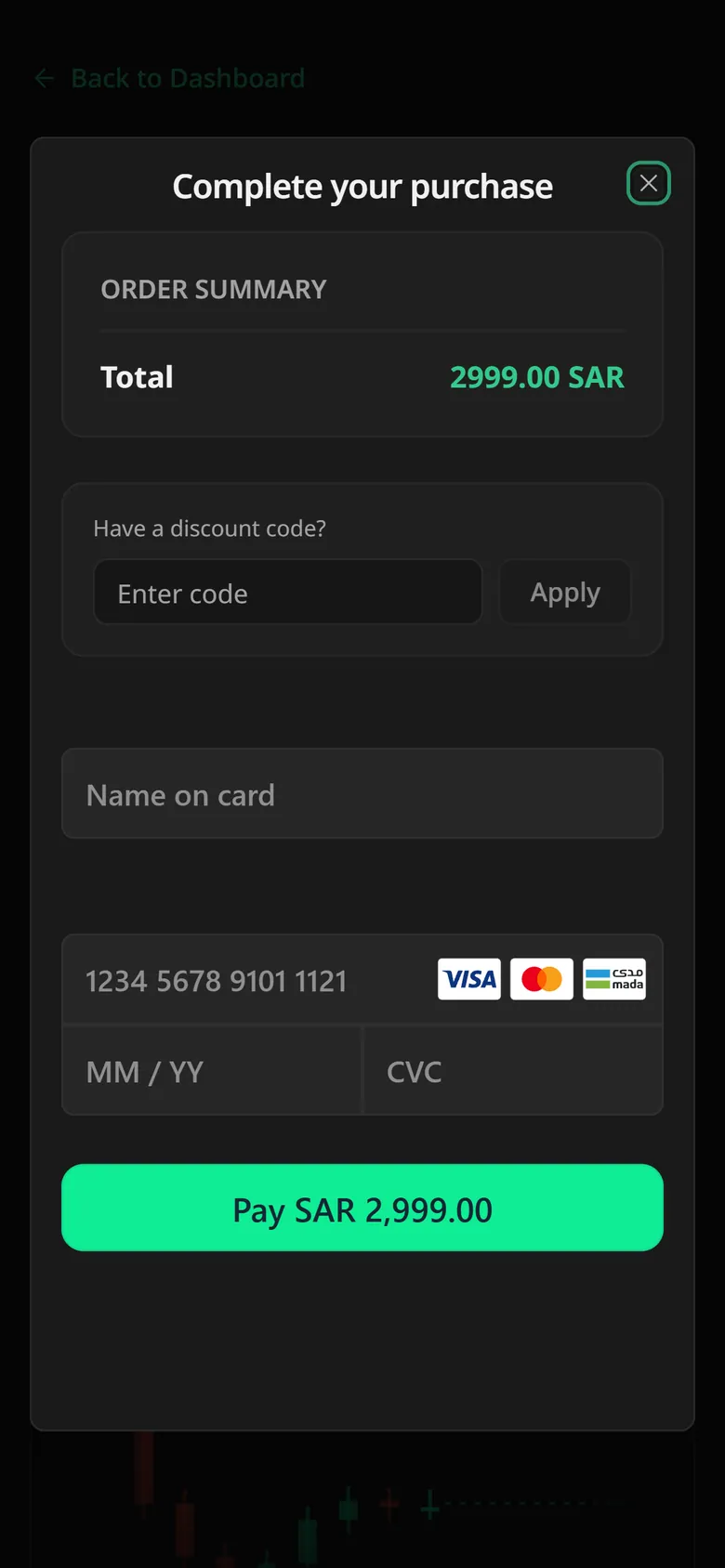
Paying opens over the same page: the total in riyals, a discount code, and the card form.
An hour with a person, booked in the app.
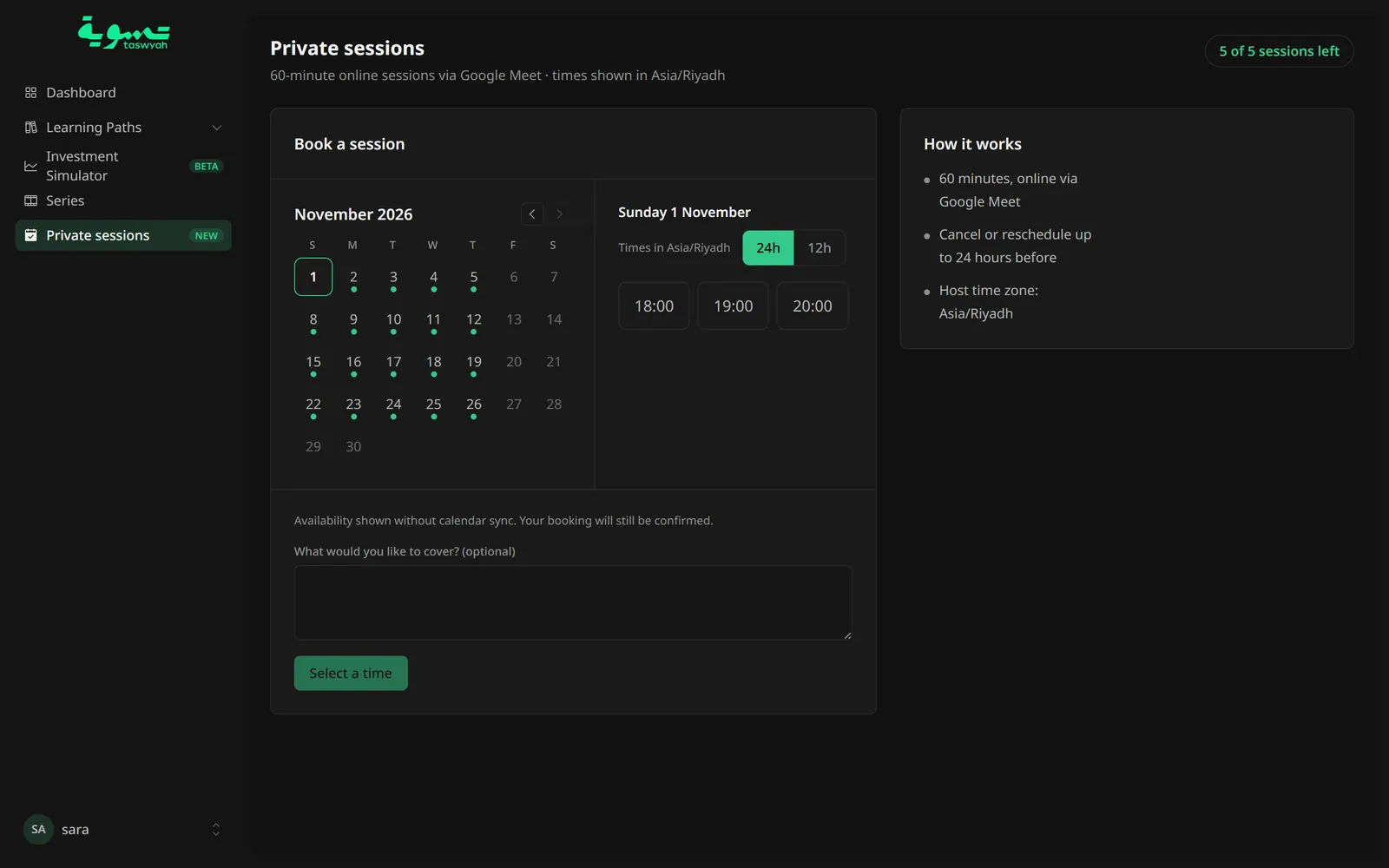
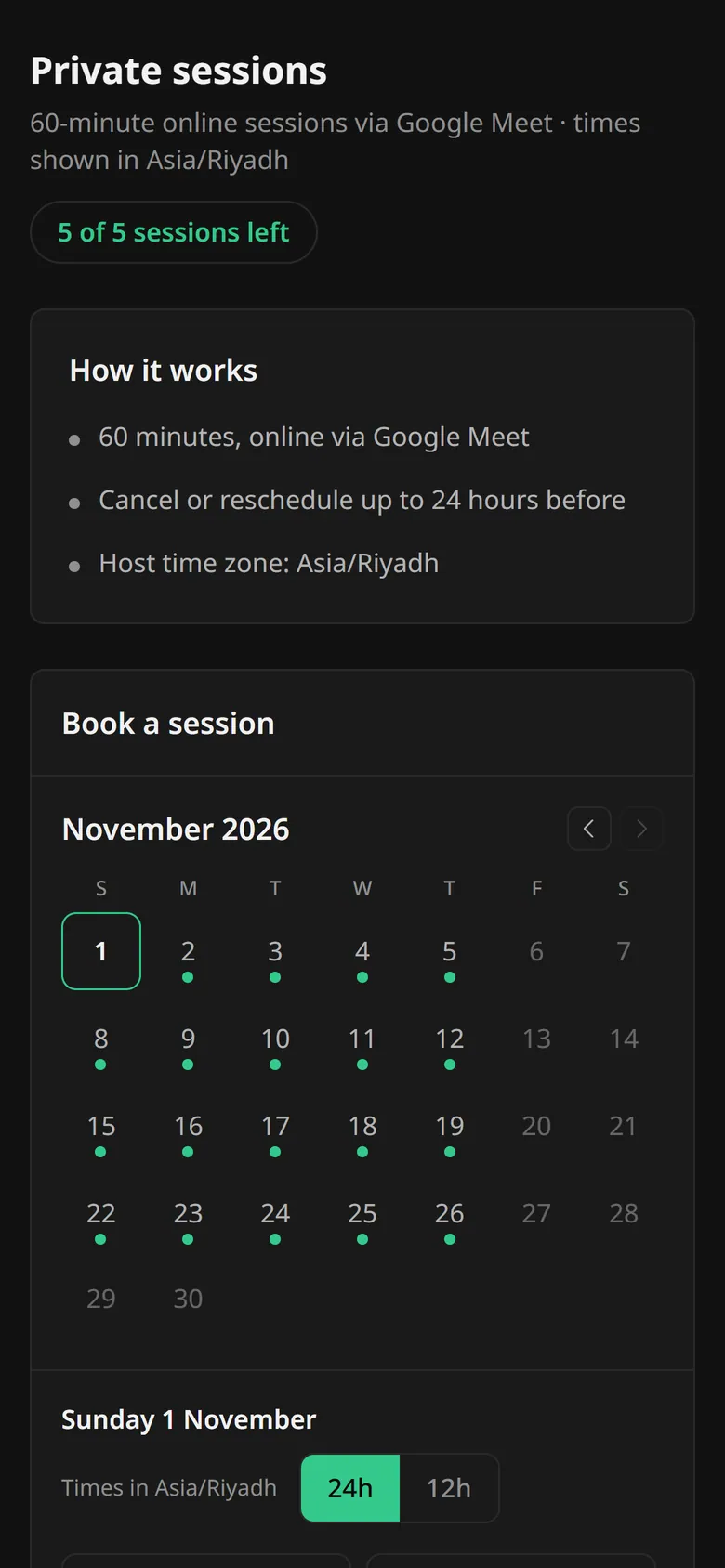
Some plans include one-to-one sessions. The booking screen shows how many you have left, the days with open times, and the hours in Riyadh time, with room to say what you’d like to cover. Each session is an hour on Google Meet and can be moved up to a day before.
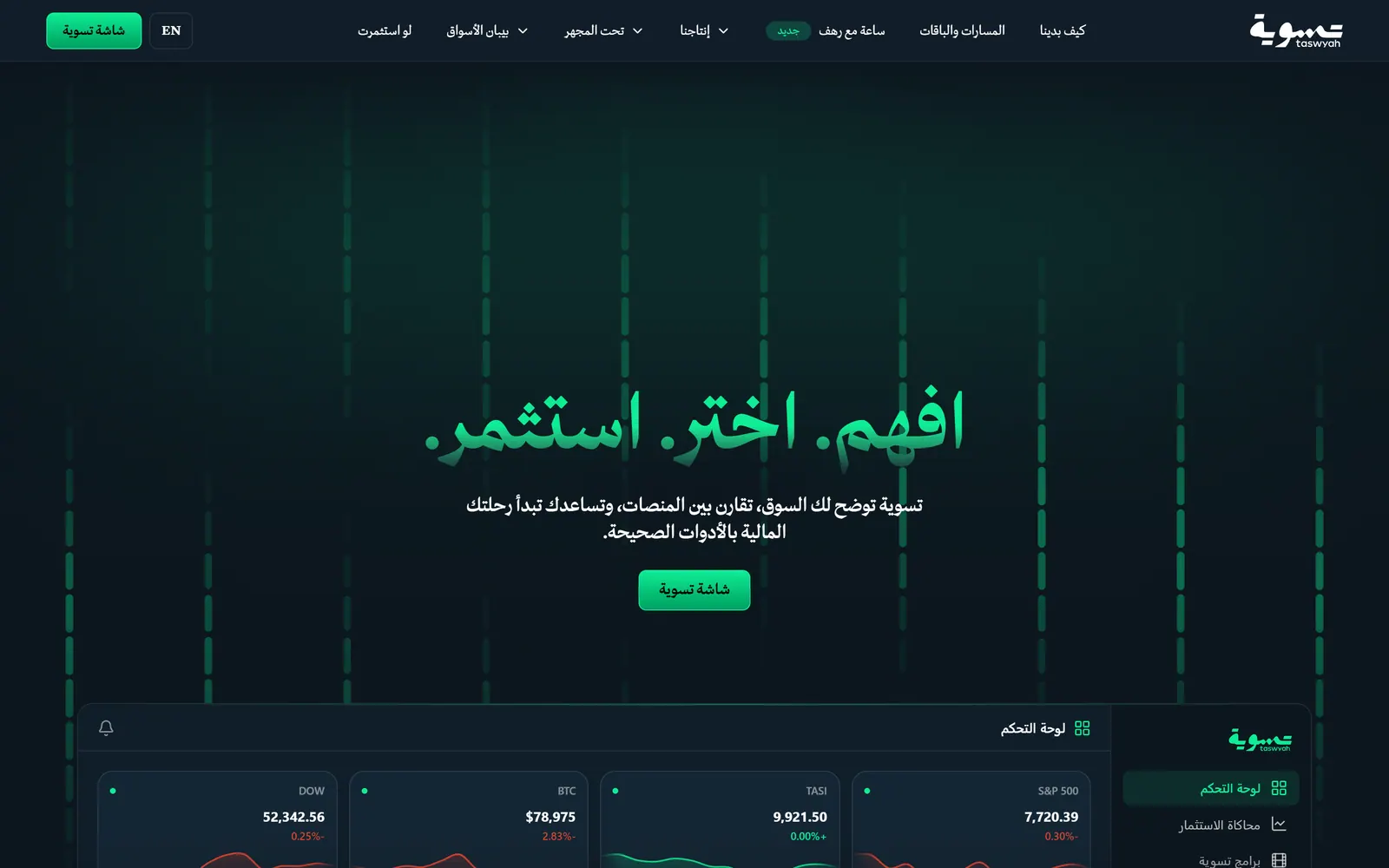
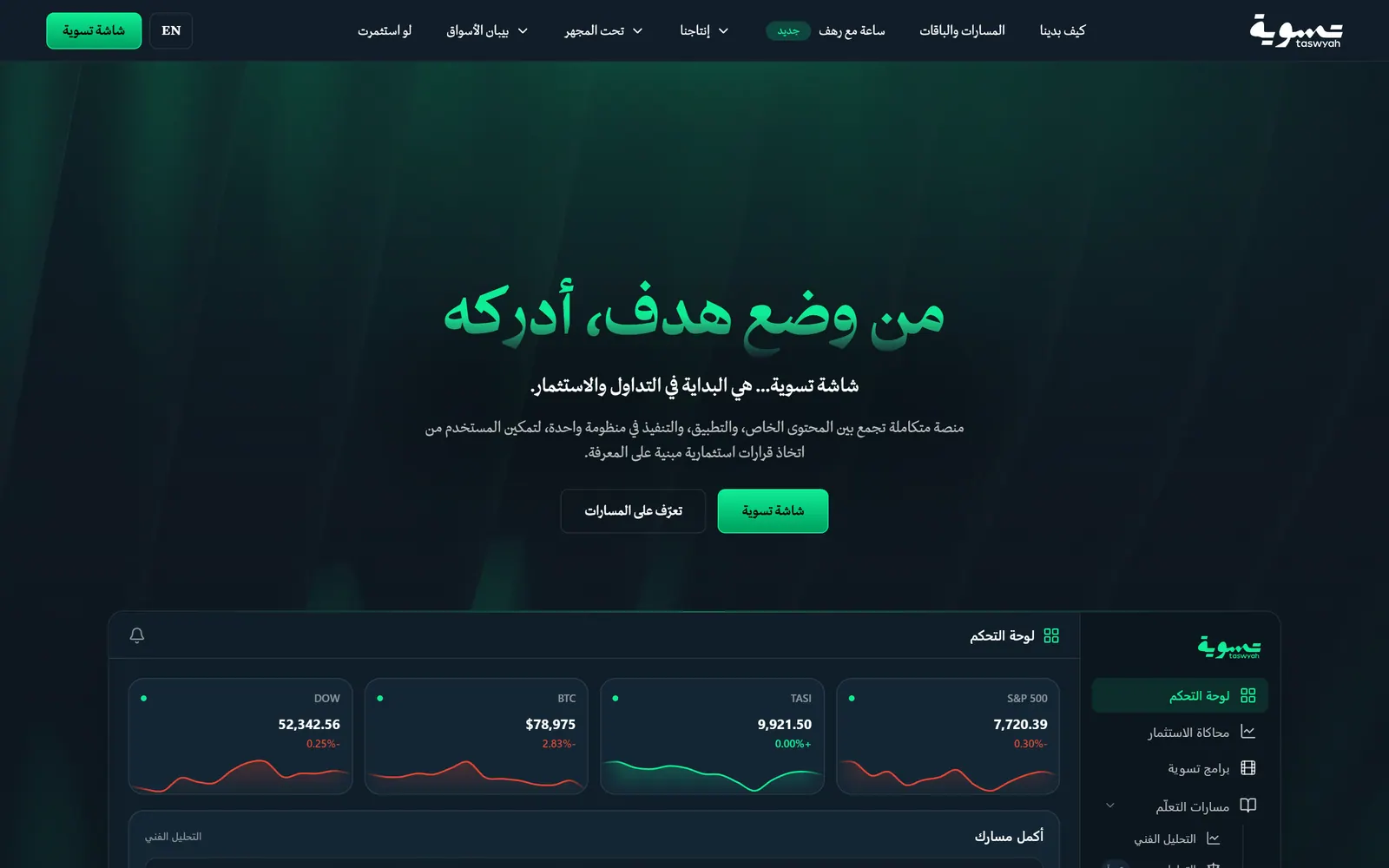
The public site shows the app.
taswyah.com is where people meet Taswyah before they sign in: what it teaches, the paths, and a calculator of what an old investment would be worth today. It opens in Arabic, and instead of illustrations it shows the app’s own dashboard.
Recorded on taswyah.com. The scrolling is sped up.
What it runs on.
Platform
- Supabase
- Bunny Stream
- Netlify
- Resend
- Sentry